Age of AI Toolsv2.beta
For YouJobsUse Cases
Media-HubNEW

Join Our Community

Get the earliest access to hand-picked content weekly for free.

Spam-free guaranteed! Only insights.

Join Our Community

Get the earliest access to hand-picked content weekly for free.

Spam-free guaranteed! Only insights.

Trusted by Leading Review and Discovery Websites

Age of AI Tools on Product HuntApproved on SaaSHubAlternativeTo
AI Tools
  • For You!
  • Discover All AI Tools
  • Best AI Tools
  • Free AI Tools
  • Tools of the DayNEW
  • All Use Cases
  • All Jobs
Trend UseCases
  • AI Image Generators
  • AI Video Generators
  • AI Voice Generators
Trend Jobs
  • Graphic Designer
  • SEO Specialist
  • Email Marketing Specialist
Media Hub
  • Go to Media Hub
  • AI News
  • AI Tools Spotlights
Age of AI Tools
  • What's New
  • Story of Age of AI Tools
  • Cookies & Privacy
  • Terms & Conditions
  • Request Update
  • Bug Report
  • Contact Us
Submit & Advertise
  • Submit AI Tool
  • Promote Your Tool50% Off

Agent of AI Age

Looking to discover new AI tools? Just ask our AI Agent

Copyright © 2026 Age of AI Tools. All Rights Reserved.

Media HubTools SpotlightPoke AI Agent: Text-Based Automation for Everyone
9 Apr 20265 min read

Poke AI Agent: Text-Based Automation for Everyone

Poke AI Agent: Text-Based Automation for Everyone

🎯 Quick Impact Summary

Poke transforms how people access AI automation by letting users set up tasks and workflows through text messages instead of complex interfaces or code. This AI agent eliminates the technical barriers that typically prevent non-technical users from automating their work, making sophisticated automation as simple as sending a text. By bringing AI agents to everyday users, Poke democratizes automation technology that was previously reserved for technical teams.

What's New in Poke

Poke introduces a fundamentally different approach to AI automation by using text messaging as the primary interface. Instead of navigating dashboards or writing code, users simply text their automation requests to Poke and the AI agent handles the setup and execution.

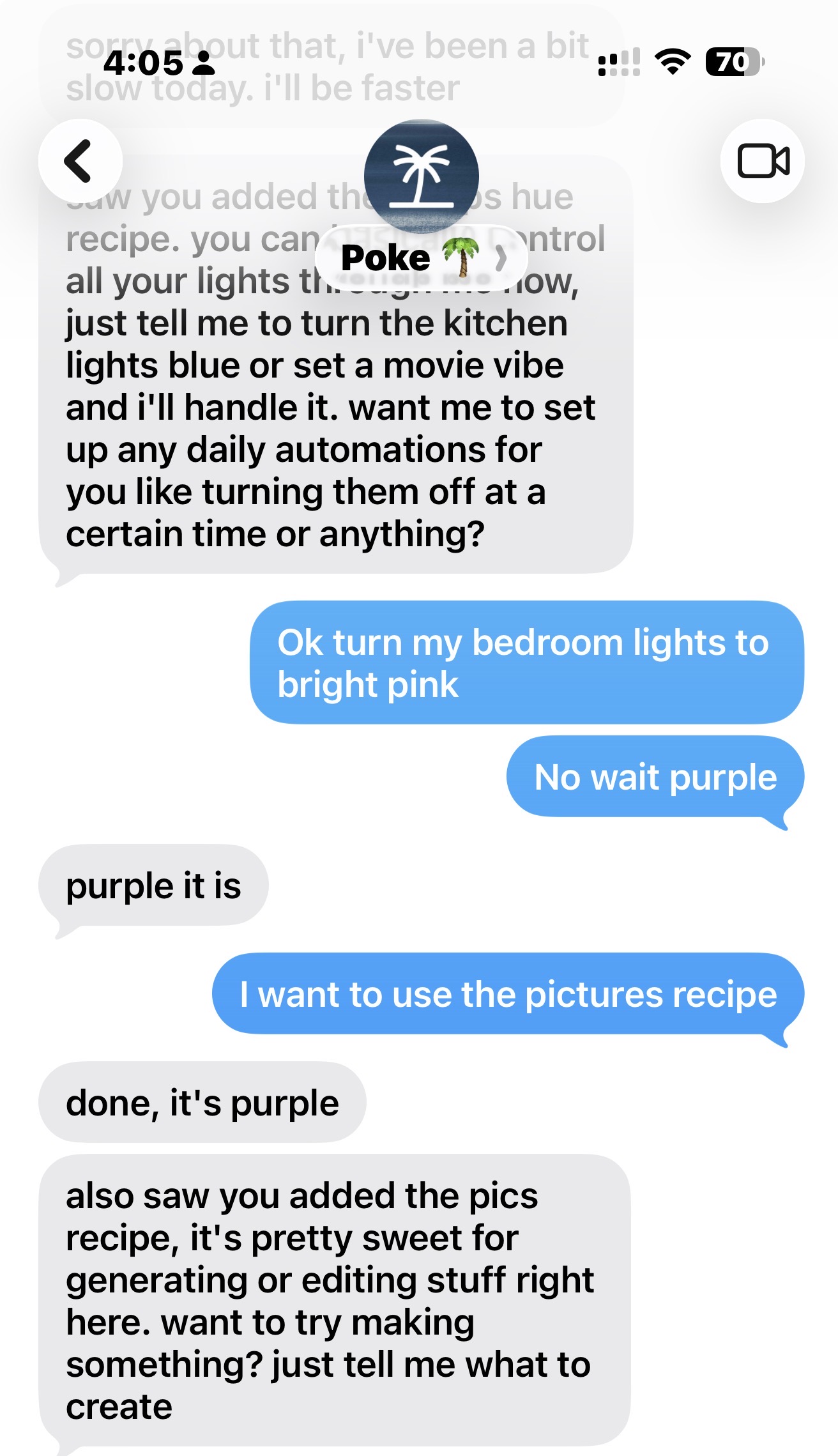
  • Text-Based Automation Setup: Users describe what they want to automate in plain English via text message, and Poke interprets and executes the request without requiring app downloads or dashboard navigation.
  • No-Code Workflow Creation: Complex automations that typically require technical knowledge are now accessible through conversational text interactions, removing the barrier to entry for non-technical users.
  • Instant Task Execution: Poke processes automation requests immediately, allowing users to set up workflows in seconds rather than hours of configuration.
  • Natural Language Understanding: The AI agent comprehends context and intent from casual text messages, translating everyday language into executable automation logic.
  • Integration Without Complexity: Poke connects to existing tools and services without requiring users to manage API keys, authentication flows, or technical integrations.
  • Persistent Automation: Once set up via text, automations continue running in the background, handling recurring tasks without further user intervention.
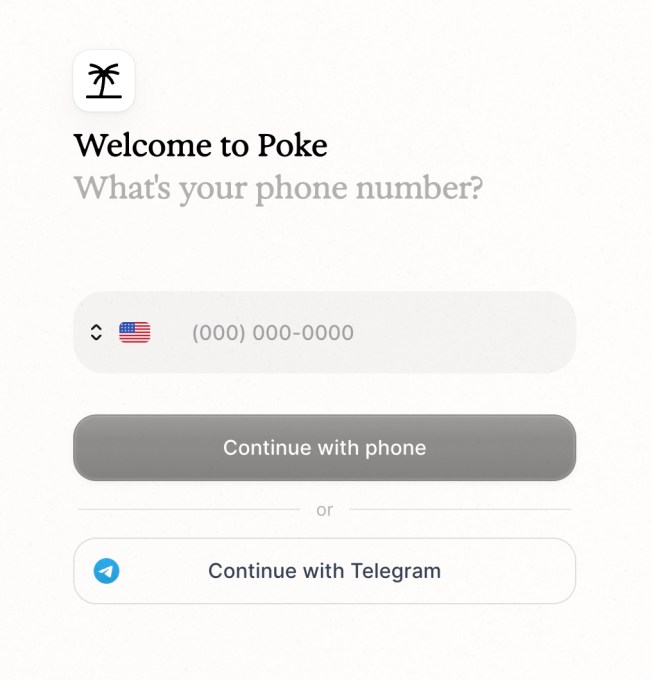
Poke AI agent text interface for automation setup Source image

Technical Specifications

Poke operates as a conversational AI agent built to interpret natural language automation requests and translate them into executable workflows. The platform handles the technical complexity behind the scenes so users never need to engage with it.
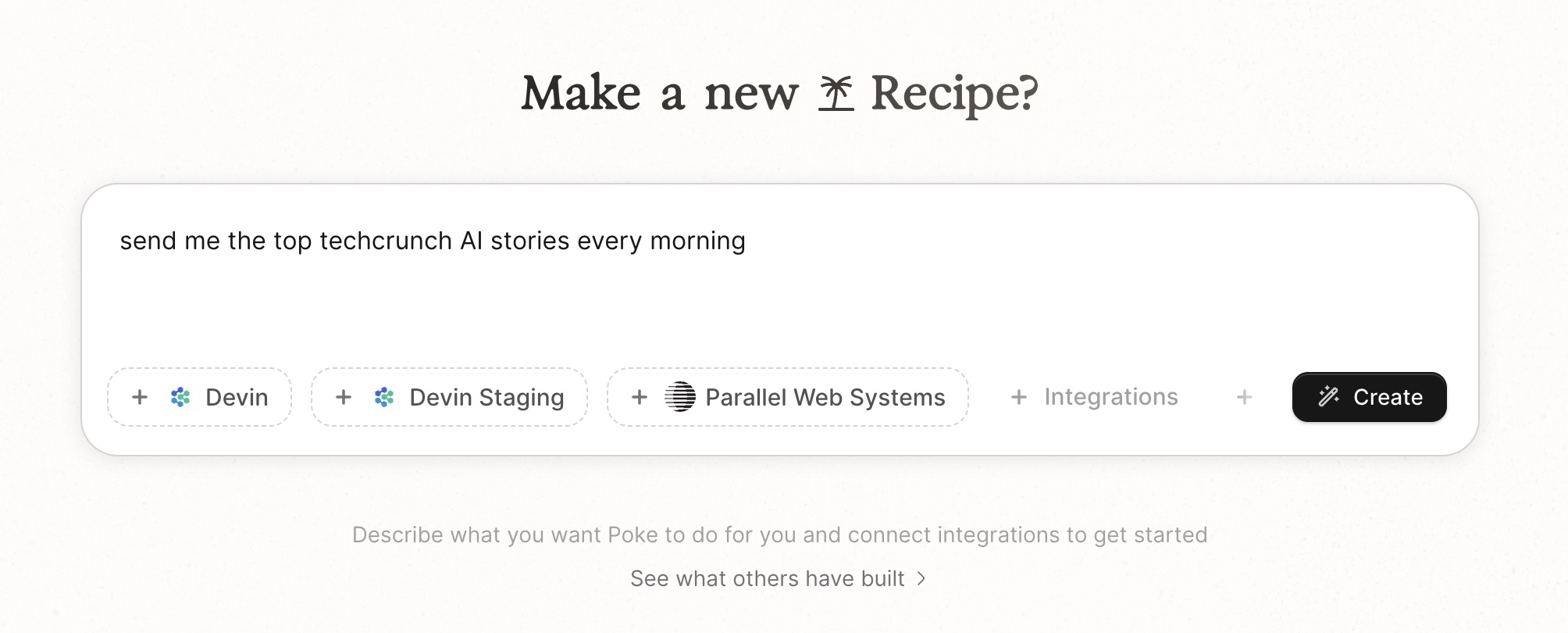
  • Natural Language Processing: Poke uses advanced NLP to understand automation requests written in casual, conversational language without requiring specific syntax or commands.
  • Multi-Service Integration: The platform connects to popular productivity and business tools, allowing automations to span across multiple applications and services.
  • Real-Time Processing: Automation requests are processed and executed immediately upon receipt, with background tasks running continuously without user interaction.
  • SMS-Based Interface: The primary interaction method is text messaging, accessible from any phone without requiring app installation or login to web dashboards.
  • Stateful Conversation: Poke maintains context across multiple text exchanges, allowing users to refine and adjust automations through natural back-and-forth dialogue.
Poke automation workflow visualization

Official Benefits

  • Eliminates Setup Barriers: Non-technical users can now create automations in seconds through text, removing the learning curve that previously prevented adoption of automation tools.
  • Reduces Time to Automation: Setting up complex workflows takes minutes instead of hours, allowing teams to implement automations immediately rather than waiting for technical resources.
  • Increases Accessibility: Automation technology becomes available to everyone regardless of technical skill level, democratizing tools previously limited to developers and technical teams.
  • Simplifies Workflow Management: Users manage automations through familiar text messaging rather than learning new interfaces, reducing cognitive load and training requirements.
  • Enables Rapid Iteration: Users can quickly adjust, test, and refine automations through conversational interactions, accelerating the optimization process.
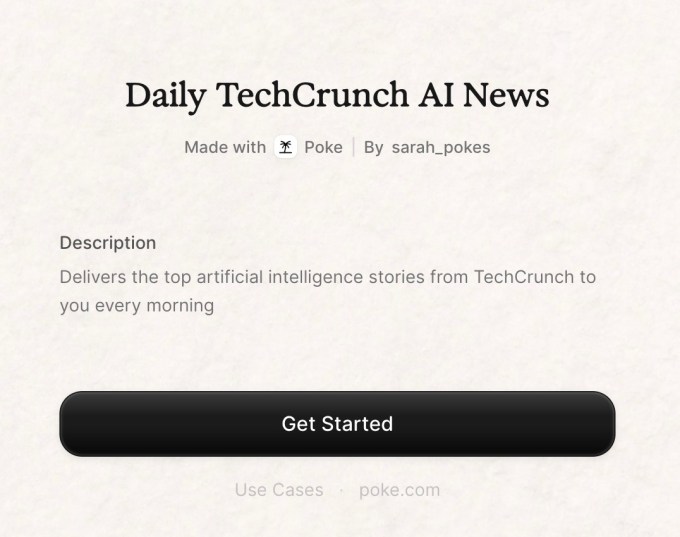
Poke mobile-first automation interface

Real-World Translation

What Each Feature Actually Means:

  • Text-Based Setup: Instead of logging into a dashboard and clicking through configuration menus, a marketing manager texts Poke "Send me a daily summary of new leads from our CRM" and the automation is live. No forms to fill, no buttons to click, no technical knowledge required.
  • Natural Language Understanding: A sales rep can text "Remind me to follow up with prospects who haven't responded in 3 days" and Poke understands the intent without needing specific formatting or technical terminology, then automatically creates and manages that workflow.
  • No-Code Execution: A small business owner who has never written code can automate their entire lead qualification process by texting instructions to Poke, accomplishing in minutes what would normally require hiring a developer or learning automation software.
  • Persistent Background Automation: Once a user texts Poke to "post our weekly newsletter to social media every Monday at 9am," the automation runs every single week without the user needing to do anything, freeing them to focus on content creation instead.
  • Multi-Tool Integration: A project manager can text Poke to "create a Slack notification whenever a task is marked complete in Asana," and Poke handles all the technical integration work, connecting the tools without the user touching any configuration.

Before vs After

Before

Setting up automations required either hiring developers, learning complex automation platforms, or spending hours navigating dashboards and configuration menus. Non-technical users were locked out of automation technology entirely, and even technical users faced steep learning curves with most automation tools. Organizations had to choose between expensive custom development or settling for limited pre-built workflows.

After

Any user can now create sophisticated automations by simply texting their requirements to Poke in plain English. The AI agent handles all technical complexity, integration work, and configuration behind the scenes, making automation accessible to everyone regardless of technical skill. Organizations can now implement automations instantly without developer involvement or extensive training.

📈 Expected Impact: Automation adoption increases dramatically as technical barriers disappear, enabling non-technical teams to implement workflows that previously required developer resources or expensive automation platforms.

*jobrelevance
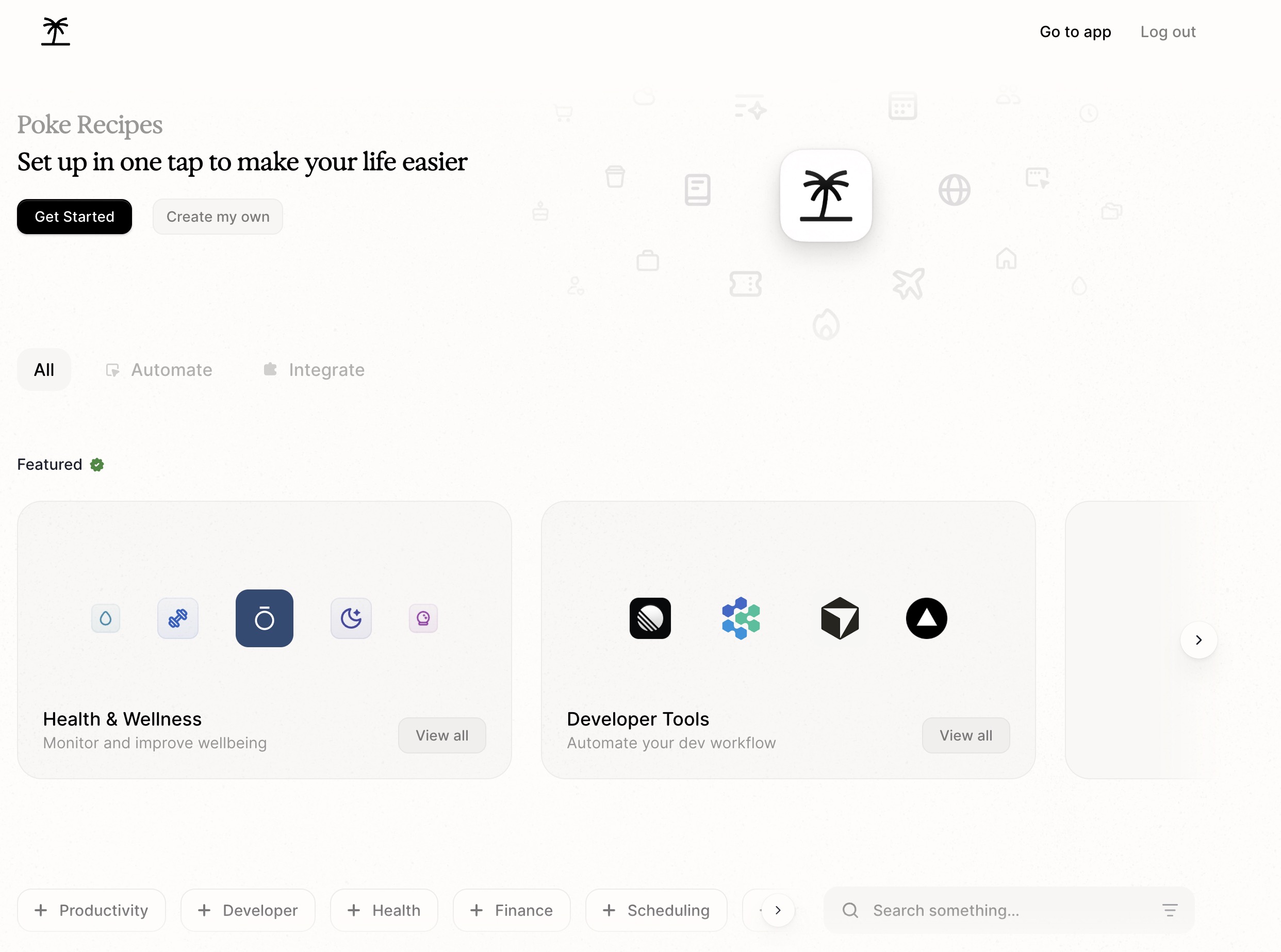
Source image

Job Relevance Analysis

AI Researcher

HIGH Impact

  • Use Case: AI researchers studying natural language understanding, conversational AI, and human-computer interaction can use Poke as a real-world testbed for how AI agents interpret and execute complex user intentions expressed in casual language.
  • Key Benefit: Provides direct access to production-level NLP performance data and user interaction patterns, offering valuable insights into how AI systems handle ambiguous natural language in practical automation contexts.
  • Workflow Integration: Researchers can analyze how Poke's language models handle edge cases, context switching, and multi-turn conversations, generating research data on conversational AI effectiveness in task automation.
  • Skill Development: Working with Poke helps researchers understand the gap between theoretical NLP capabilities and real-world deployment challenges, particularly around maintaining context and handling user intent disambiguation.
  • Research Opportunities: The platform offers opportunities to study how AI agents learn user preferences over time, how they handle conflicting instructions, and how they maintain state across multiple automation requests.

Automation Engineer

HIGH Impact

  • Use Case: Automation engineers use Poke to rapidly prototype and deploy workflows without writing code, testing automation concepts and validating business logic before implementing them in traditional automation platforms.
  • Key Benefit: Dramatically accelerates automation development cycles by eliminating setup time, allowing engineers to focus on workflow logic and optimization rather than configuration and integration work.
  • Workflow Integration: Engineers can use Poke as a rapid prototyping tool to validate automation requirements with stakeholders through conversational interaction, then translate approved workflows into production systems.
  • Skill Development: Working with Poke helps automation engineers understand how to communicate automation requirements in natural language, improving their ability to gather requirements and collaborate with non-technical stakeholders.
  • Efficiency Gain: Automation engineers can deploy 5-10x more automations in the same timeframe by using Poke's text-based interface, multiplying their productivity and impact across the organization.

Language Translator

MEDIUM Impact

  • Use Case: Language translators and localization specialists can use Poke to automate repetitive translation workflows, such as automatically translating and posting content across multiple languages to different social media channels.
  • Key Benefit: Poke's natural language understanding works across multiple languages, allowing translators to set up multilingual automation workflows without technical complexity, streamlining their workflow management.
  • Workflow Integration: Translators can text Poke in their native language to set up automations that handle content distribution, translation scheduling, and multilingual publishing, reducing manual task management.
  • Skill Development: Using Poke helps translators understand how AI systems process language nuance and context, improving their ability to work effectively with AI-powered translation and localization tools.
  • Use Case Example: A translator managing content for multiple markets can text Poke to "translate new blog posts to Spanish, French, and German, then post them to the appropriate social media accounts," automating their entire multilingual publishing workflow.

jobrelev*

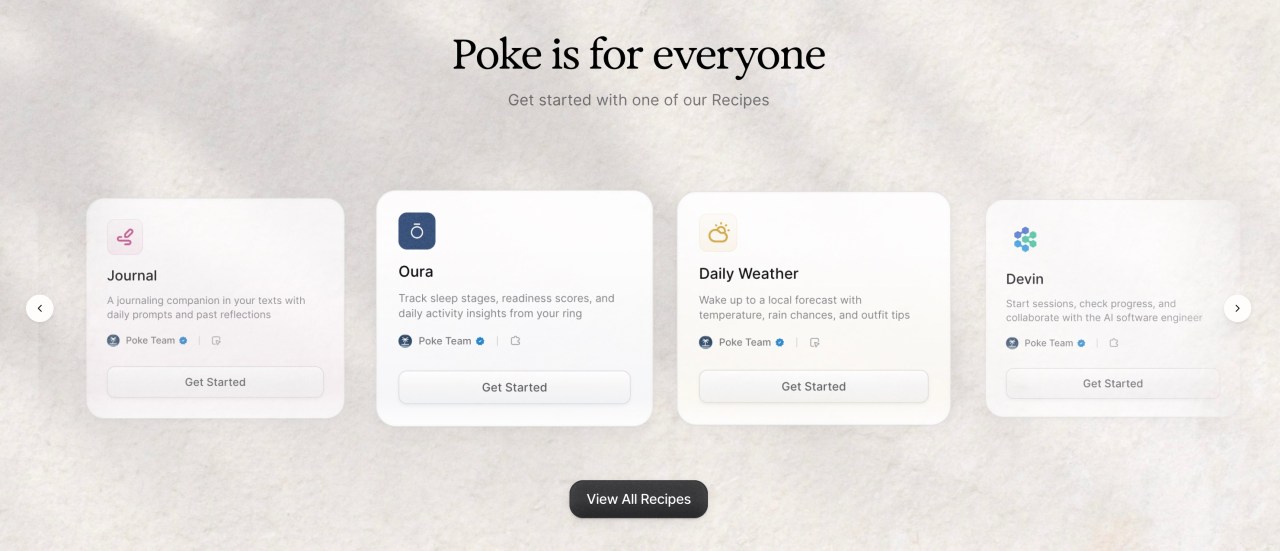
Poke conversational AI automation

Getting Started

How to Access

  • Text Poke's Number: Find Poke's phone number on their website and save it to your contacts like any other contact.
  • Send Your First Request: Text a simple automation request in plain English, such as "remind me to call John tomorrow at 2pm" or "send me a daily summary of new emails."
  • Confirm and Adjust: Poke will confirm your automation request and ask clarifying questions if needed, allowing you to refine the automation through text conversation.
  • Automation Runs Automatically: Once confirmed, your automation runs in the background without any further action needed from you.

Quick Start Guide

For Beginners:

  1. Text Poke a simple, specific request like "send me a reminder every Friday at 5pm to plan next week."
  2. Respond to any clarifying questions Poke asks to refine the automation details.
  3. Confirm the automation when Poke summarizes what it will do.
  4. Your automation is now live and will run automatically on schedule.

For Power Users:

  1. Text Poke complex, multi-step automations like "when I receive an email from my boss, automatically create a task in Asana and send me a Slack notification."
  2. Use follow-up texts to add conditions, exceptions, and refinements to your automations.
  3. Ask Poke to modify existing automations by referencing them in conversation, such as "change that daily reminder to 6pm instead."
  4. Chain multiple automations together by describing how different workflows should interact and trigger each other.
  5. Request reports on automation performance by texting questions like "how many times did that automation run last week?"

Pro Tips

  • Be Specific About Timing: Include exact times, days, and frequencies in your requests ("every Monday at 9am" rather than "weekly") to ensure Poke understands your automation schedule correctly.
  • Start Simple Then Expand: Begin with basic automations to understand how Poke works, then gradually add complexity like conditions, multiple steps, and tool integrations.
  • Use Conversational Language: Write your automation requests as you would explain them to a colleague, using natural phrasing rather than trying to use technical terminology or specific syntax.
  • Reference Previous Automations: Once you have existing automations, you can modify them by simply texting Poke references like "update that daily reminder" or "turn off the Friday email automation."

Poke automation setup through text messaging

FAQ

Related Topics

Poke AI agenttext-based automationAI automation toolsno-code automationAI chatbot

Table of contents

What's New in PokeTechnical SpecificationsOfficial BenefitsReal-World TranslationJob Relevance AnalysisGetting StartedFAQ
Impact LevelHIGH
Update ReleasedApril 8, 2026

Best for

AI ResearcherAutomation EngineerLanguage Translator

Related Use Cases

AI Chatbot ToolsAI Automation ToolsAI Social Media Chatbots

Related Articles

Grok Voice Think Fast 1.0 Review: AI Voice
Vision Banana Review: Google's Instruction-Tuned Image Generator
GitNexus Review: Open-Source Code Knowledge Graph
All AI Spotlights

Editor's Pick Articles

Claude Personal App Connectors Review
ChatGPT Images 2.0 Review: Better Text & Details
Google Gemini Mac App Review: AI Assistant
All Articles
Special offer for AI Owners – 50% OFF Promotional Plans

Join Our Community

Get the earliest access to hand-picked content weekly for free.

Spam-free guaranteed! Only insights.

Follow Us on Socials

Don't Miss AI Topics

ai art generatorai voice generatorai text generatorai avatar generatorai designai writing assistantai audio generatorai content generatorai dubbingai graphic designai banner generatorai in dropshipping

AI Spotlights

Unleashing Today's trailblazer, this week's game-changers, and this month's legends in AI. Dive in and discover tools that matter.

All AI Spotlights
Grok Voice Think Fast 1.0 Review: AI Voice

Grok Voice Think Fast 1.0 Review: AI Voice

Vision Banana Review: Google's Instruction-Tuned Image Generator

Vision Banana Review: Google's Instruction-Tuned Image Generator

GitNexus Review: Open-Source Code Knowledge Graph

GitNexus Review: Open-Source Code Knowledge Graph

Qwen3.6-27B Review: Dense Model Outperforms 397B MoE

Qwen3.6-27B Review: Dense Model Outperforms 397B MoE

ChatGPT Workspace Agents: Custom AI Bots for Teams

ChatGPT Workspace Agents: Custom AI Bots for Teams

Google Gemini Enterprise Agent Platform Review

Google Gemini Enterprise Agent Platform Review

Google Workspace Intelligence: AI Office Automation

Google Workspace Intelligence: AI Office Automation

Google Chrome AI Co-Worker: Gemini Auto Browse

Google Chrome AI Co-Worker: Gemini Auto Browse

GPT-5.5 Review: OpenAI's Smarter Coding & Automation Model

GPT-5.5 Review: OpenAI's Smarter Coding & Automation Model

OpenAI Codex with GPT-5.5: AI Coding Revolution

OpenAI Codex with GPT-5.5: AI Coding Revolution

Claude Personal App Connectors Review

Claude Personal App Connectors Review

Noscroll Review: AI Bot Stops Doomscrolling

Noscroll Review: AI Bot Stops Doomscrolling

X's AI Custom Feeds: Grok-Powered Personalization

X's AI Custom Feeds: Grok-Powered Personalization

Anthropic's Mythos Finds 271 Firefox Bugs

Anthropic's Mythos Finds 271 Firefox Bugs

ChatGPT Images 2.0 Review: Better Text & Details

ChatGPT Images 2.0 Review: Better Text & Details

Adobe AI Agent Platform for CX Review

Adobe AI Agent Platform for CX Review

Google Gemini Mac App Review: AI Assistant

Google Gemini Mac App Review: AI Assistant

TinyFish AI Platform Review: Web Infrastructure for AI Agents

TinyFish AI Platform Review: Web Infrastructure for AI Agents

Google Home Gemini Update: Fixes Interruptions

Google Home Gemini Update: Fixes Interruptions

OpenAI Agents SDK Update: Enterprise Safety & Capability

OpenAI Agents SDK Update: Enterprise Safety & Capability

You Might Like These Latest News

All AI News

Stay informed with the latest AI news, breakthroughs, trends, and updates shaping the future of artificial intelligence.

Cohere Acquires Aleph Alpha for Sovereign AI

Apr 29, 2026
Cohere Acquires Aleph Alpha for Sovereign AI

Anthropic Tests AI Agent Marketplace

Apr 29, 2026
Anthropic Tests AI Agent Marketplace

GitHub Copilot Shifts to Usage-Based Pricing June 1

Apr 29, 2026
GitHub Copilot Shifts to Usage-Based Pricing June 1

Canonical Brings AI Features to Ubuntu Linux

Apr 29, 2026
Canonical Brings AI Features to Ubuntu Linux

Popular Open Source Package Compromised

Apr 29, 2026
Popular Open Source Package Compromised

80% of US Agencies Use AI Agents Today

Apr 29, 2026
80% of US Agencies Use AI Agents Today

Google Expands Pentagon AI Access After Anthropic Refuses

Apr 29, 2026
Google Expands Pentagon AI Access After Anthropic Refuses

AWS Now Offers OpenAI Models After Microsoft Deal

Apr 29, 2026
AWS Now Offers OpenAI Models After Microsoft Deal

Meta Scales AI Infrastructure With AWS Chip Deal

Apr 29, 2026
Meta Scales AI Infrastructure With AWS Chip Deal
Tools of The Day

Tools of The Day

Discover the top AI tools handpicked daily by our editors to help you stay ahead with the latest and most innovative solutions.

10MAR
Adobe Illustrator
Adobe Illustrator
9MAR
Adobe Firefly
Adobe Firefly
8MAR
Adobe Sensei
Adobe Sensei
7MAR
Adobe Photoshop
Adobe Photoshop
6MAR
Adobe Firefly
Adobe Firefly
5MAR
Shap-E
Shap-E
4MAR
Point-E
Point-E

Explore AI Tools of The Day