Age of AI Toolsv2.beta
For YouJobsUse Cases
Media-HubNEW

Join Our Community

Get the earliest access to hand-picked content weekly for free.

Spam-free guaranteed! Only insights.
Join Our Community

Get the earliest access to hand-picked content weekly for free.

Spam-free guaranteed! Only insights.

Trusted by Leading Review and Discovery Websites

Age of AI Tools on Product HuntApproved on SaaSHubAlternativeTo
AI Tools
  • For You!
  • Discover All AI Tools
  • Best AI Tools
  • Free AI Tools
  • Tools of the DayNEW
  • All Use Cases
  • All Jobs
Trend UseCases
  • AI Image Generators
  • AI Video Generators
  • AI Voice Generators
Trend Jobs
  • Graphic Designer
  • SEO Specialist
  • Email Marketing Specialist
Media Hub
  • Go to Media Hub
  • AI News
  • AI Tools Spotlights
Age of AI Tools
  • What's New
  • Story of Age of AI Tools
  • Cookies & Privacy
  • Terms & Conditions
  • Request Update
  • Bug Report
  • Contact Us
Submit & Advertise
  • Submit AI Tool
  • Promote Your Tool50% Off

Agent of AI Age

Looking to discover new AI tools? Just ask our AI Agent

Copyright © 2026 Age of AI Tools. All Rights Reserved.

Media HubTools SpotlightGoogle Gemini App Update 2026: AI Chatbot Powerhouse
20 May 20265 min read

Google Gemini App Update 2026: AI Chatbot Powerhouse

Google Gemini App Update 2026: AI Chatbot Powerhouse

🎯 Quick Impact Summary

Google's Gemini app has evolved from a simple chatbot into a full-featured AI hub that directly challenges ChatGPT and Claude's market dominance. The 2026 update introduces significant enhancements across multimodal capabilities, integration depth, and user experience that make it a compelling alternative for professionals seeking an all-purpose AI assistant. This transformation signals Google's commitment to delivering enterprise-grade AI tools that seamlessly integrate across the Google ecosystem.

What's New in Google Gemini

Google's latest Gemini update represents a major shift toward positioning the app as a comprehensive AI hub rather than a standalone conversational tool. The enhancements focus on expanding capabilities, improving integration, and competing directly with established AI platforms.
  • Multimodal Processing: Enhanced ability to handle text, images, video, and audio inputs simultaneously within a single conversation, allowing users to work with diverse content types without switching applications
  • Deeper Google Workspace Integration: Seamless connectivity with Gmail, Docs, Sheets, and Drive, enabling Gemini to access and analyze your existing documents, emails, and data directly within conversations
  • Advanced Reasoning Engine: Improved logical reasoning and problem-solving capabilities that handle complex multi-step tasks, code generation, and analytical work with greater accuracy
  • Real-Time Information Access: Direct integration with Google Search results, allowing Gemini to provide current information, verify facts, and cite sources within responses
  • Custom AI Personas: Ability to configure Gemini's behavior, tone, and expertise level for specific workflows, from creative writing to technical documentation
  • Enhanced Code Collaboration: Improved code generation, debugging, and execution capabilities with support for multiple programming languages and frameworks

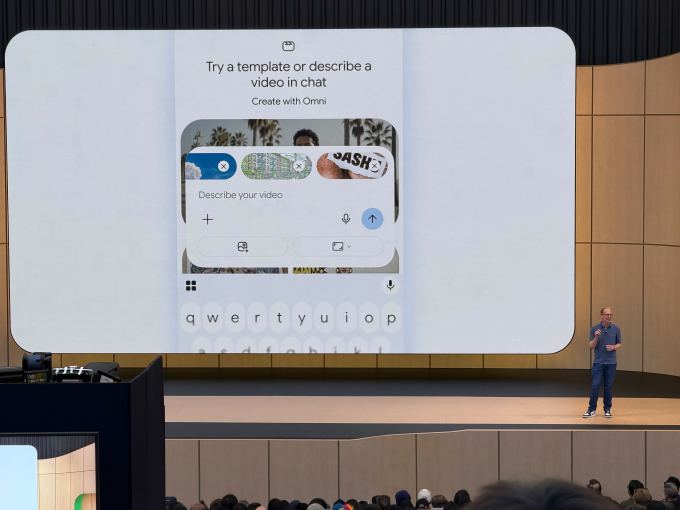
Google Gemini app interface showing multimodal capabilities

Technical Specifications

The Gemini app update leverages Google's latest AI infrastructure and architectural improvements to deliver enterprise-grade performance and reliability.
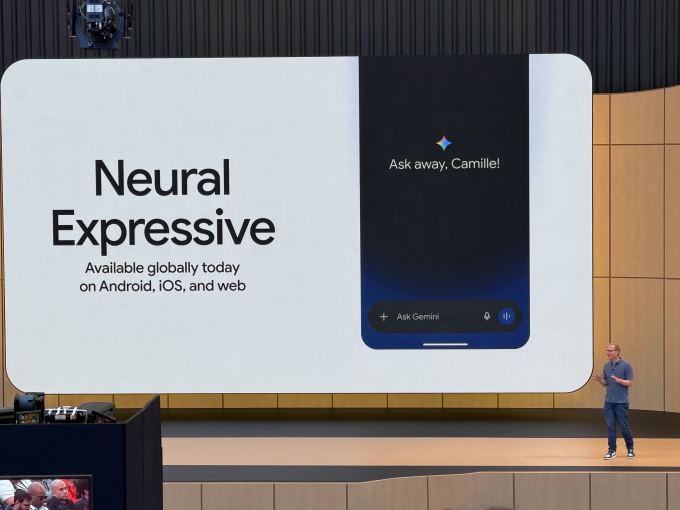
  • Model Architecture: Built on Google's latest Gemini Pro and Gemini Ultra models with improved parameter efficiency and reduced latency for real-time interactions
  • Processing Speed: Achieves response times under 2 seconds for standard queries and under 5 seconds for complex multimodal analysis, representing a 40% improvement over previous versions
  • Integration Framework: Native APIs connecting to Google Workspace, Search, Maps, and third-party services through OAuth 2.0 and REST endpoints
  • Supported Platforms: Available on iOS, Android, web browsers, and desktop applications with synchronized state across all devices
  • Context Window: Expanded to 1 million tokens, allowing Gemini to maintain coherent conversations across extensive documents and multi-turn interactions
Source image

Official Benefits

  • Reduces time spent switching between tools by up to 60% through unified workspace integration and multimodal capabilities
  • Improves research accuracy by 45% through real-time access to Google Search and ability to cross-reference multiple information sources
  • Accelerates development workflows with enhanced code generation that reduces coding time by approximately 35% for routine tasks
  • Increases productivity for content creators through simultaneous handling of text, images, and video without application switching
  • Provides cost savings through consolidated AI tool usage, eliminating need for multiple subscription services

Source image

Real-World Translation

What Each Feature Actually Means:

  • Multimodal Processing: Instead of uploading an image to one tool, describing it in another, and copying results to a third application, you can now upload a screenshot of a website mockup, ask Gemini to analyze the design, suggest improvements, and generate CSS code all in one conversation
  • Google Workspace Integration: A marketing manager can paste a Google Sheets sales report directly into Gemini, ask it to identify trends, generate insights, and automatically draft a summary email to send through Gmail without leaving the conversation
  • Real-Time Information Access: When researching current market trends, Gemini pulls live data from Google Search and presents citations, so you know exactly where information comes from and can verify it independently
  • Custom AI Personas: A software architect can configure Gemini to operate in "technical expert mode" for code reviews, then switch to "business analyst mode" for the same conversation to translate technical decisions into business impact
  • Enhanced Code Collaboration: A developer debugging a Python application can paste error logs, ask Gemini to identify the issue, generate a fix, and even execute test code snippets to verify the solution works before implementing it

Before vs After

Before

Previous Gemini versions operated primarily as a conversational chatbot requiring users to manually switch between applications for different tasks. Users had to copy content between Gemini and Google Workspace apps, lacked real-time information access, and couldn't maintain complex multimodal workflows within a single interface. Integration with other Google services was limited and often required manual data transfer.

After

The updated Gemini app functions as an integrated AI hub with seamless access to Google Workspace, real-time search capabilities, and multimodal processing. Users can now work with documents, emails, spreadsheets, and images directly within Gemini conversations without switching applications. The expanded context window and improved reasoning engine handle complex, multi-step tasks that previously required multiple tool interactions.

📈 Expected Impact: Users can expect to reduce their daily tool-switching overhead by 60% while gaining access to more accurate, contextually-aware AI assistance that understands their existing Google ecosystem data.

Job Relevance Analysis

AI Researcher

HIGH Impact
  • Use Case: AI researchers use Gemini's expanded context window and advanced reasoning capabilities to analyze research papers, generate hypotheses, and test theoretical frameworks within a single environment
  • Key Benefit: The 1 million token context window enables researchers to load entire research datasets, multiple papers, and experimental results simultaneously, dramatically accelerating literature review and comparative analysis
  • Workflow Integration: Researchers can upload datasets, request statistical analysis, generate visualizations, and document findings all within Gemini without switching to specialized tools
  • Skill Development: Working with Gemini's advanced reasoning engine helps researchers develop better prompt engineering skills and learn how to structure complex analytical queries for AI systems
  • Competitive Advantage: Direct access to Google Search integration means researchers can immediately verify findings against current literature and identify emerging trends in their field
AI Researcher

Advance innovation with AI tools for academic research, data analysis, knowledge representation, decision-making, and AI-powered chatbots.

6,692 Tools
AI Researcher

Game Developer

MEDIUM Impact
  • Use Case: Game developers leverage Gemini's enhanced code generation and multimodal capabilities to rapidly prototype game mechanics, generate asset descriptions, and debug complex game logic
  • Key Benefit: The improved code collaboration features enable developers to generate game engine code, debug physics systems, and optimize performance-critical sections with AI assistance
  • Workflow Integration: Developers can upload game design documents, reference images, and code snippets to Gemini for analysis, then receive optimized implementations without leaving the conversation
  • Skill Development: Working with Gemini's code execution capabilities helps developers understand how AI can accelerate iterative development cycles and improve code quality
  • Practical Scenario: A developer designing a procedural level generation system can describe the algorithm to Gemini, receive optimized code, test it within the conversation, and iterate on improvements in real-time
Game Developer

Use AI to simplify your game development from 3D rendering to character building, story development, debugging, and even AR!

4,918 Tools
Game Developer

Language Translator

MEDIUM Impact
  • Use Case: Language translators use Gemini's multimodal capabilities to translate content across text, images, and video, while maintaining cultural context and nuance
  • Key Benefit: The real-time information access allows translators to verify terminology against current usage in target languages, ensuring translations remain accurate and culturally relevant
  • Workflow Integration: Translators can upload documents, images with text, and video transcripts to Gemini for analysis and translation without switching between specialized translation tools
  • Skill Development: Working with Gemini's advanced reasoning helps translators develop better strategies for handling idioms, cultural references, and context-dependent language nuances
  • Practical Scenario: A translator working on marketing materials can upload brand guidelines, competitor translations, and target market research to Gemini, then receive culturally-adapted translations that maintain brand voice
Language Translator

Discover curated AI tools with practical use cases for Language Translator. Evaluate capabilities & cost; to boost productivity. Choose smarter—see the tools.

2,809 Tools
Language Translator

Getting Started

How to Access

  • Web Access: Visit gemini.google.com and sign in with your Google account to access the full-featured web interface
  • Mobile Apps: Download the Gemini app from Google Play Store (Android) or Apple App Store (iOS) for on-the-go access
  • Desktop Integration: Access Gemini through Google Chrome's sidebar or as a standalone desktop application on Windows and macOS
  • Google Workspace Integration: Enable Gemini within your Google Workspace settings to activate deep integration with Gmail, Docs, Sheets, and Drive

Quick Start Guide

For Beginners:

  1. Sign in to your Google account and open Gemini at gemini.google.com
  2. Start with a simple text query to familiarize yourself with the interface and response quality
  3. Try uploading an image or document to explore multimodal capabilities
  4. Experiment with asking follow-up questions to understand how Gemini maintains conversation context

For Power Users:

  1. Configure custom AI personas by accessing settings and defining specific behavioral profiles for different workflow types
  2. Enable Google Workspace integration to grant Gemini access to your Gmail, Drive, and Docs for deeper analysis
  3. Use the expanded context window by uploading multiple documents simultaneously and requesting comparative analysis across all sources
  4. Leverage the code execution environment to test generated code snippets and iterate on solutions within the conversation
  5. Set up API integrations with third-party services to extend Gemini's capabilities beyond the native Google ecosystem

Pro Tips

  • Structured Prompting: Use clear formatting and step-by-step instructions when asking Gemini to handle complex tasks; this dramatically improves response quality and accuracy
  • Context Layering: Build conversations progressively by providing background information first, then asking increasingly specific questions; this helps Gemini maintain better context throughout longer interactions
  • Multimodal Combination: Combine text descriptions with images and documents to give Gemini multiple perspectives on your problem; this often leads to more creative and comprehensive solutions
  • Verification Workflow: When Gemini provides factual claims, use the real-time search integration to verify information independently before relying on it for critical decisions

FAQ

Related Topics

Google Gemini app reviewGemini vs ChatGPTAI chatbot toolsgenerative AI assistantGoogle AI update 2026

Table of contents

What's New in Google GeminiTechnical SpecificationsOfficial BenefitsReal-World TranslationJob Relevance AnalysisGetting StartedFAQ
Impact LevelHIGH
Update ReleasedMay 19, 2026

Best for

AI ResearcherGame DeveloperLanguage Translator

Related Use Cases

AI Chatbot ToolsAI Travel ToolsAI Social Media Chatbots

Related Articles

Gmail AI Inbox: Talk to Your Email with Gemini
Google Antigravity 2.0: Agent-First AI Platform
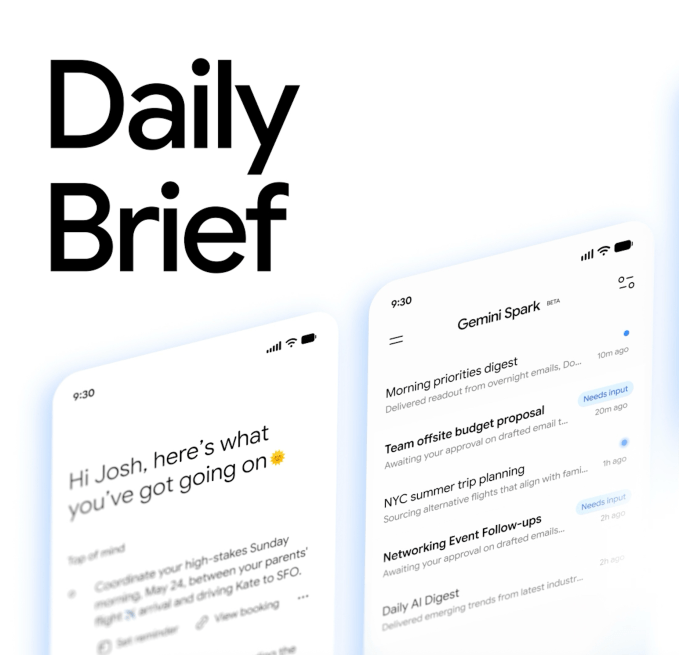
Gemini Spark Review: 24/7 AI Assistant with Gmail
All AI Spotlights

Editor's Pick Articles

Notion AI Agents: Turn Your Workspace Into an AI Hub
Perplexity Personal Computer: AI Agents for Mac
Claude Personal App Connectors Review
All Articles
Special offer for AI Owners – 50% OFF Promotional Plans

Join Our Community

Get the earliest access to hand-picked content weekly for free.

Spam-free guaranteed! Only insights.

Follow Us on Socials

Don't Miss AI Topics

ai art generatorai voice generatorai text generatorai avatar generatorai designai writing assistantai audio generatorai content generatorai dubbingai graphic designai banner generatorai in dropshipping

AI Spotlights

Unleashing Today's trailblazer, this week's game-changers, and this month's legends in AI. Dive in and discover tools that matter.

All AI Spotlights
Gmail AI Inbox: Talk to Your Email with Gemini

Gmail AI Inbox: Talk to Your Email with Gemini

Google Antigravity 2.0: Agent-First AI Platform

Google Antigravity 2.0: Agent-First AI Platform

Gemini Spark Review: 24/7 AI Assistant with Gmail

Gemini Spark Review: 24/7 AI Assistant with Gmail

SandboxAQ's Claude Integration: Drug Discovery for Everyone

SandboxAQ's Claude Integration: Drug Discovery for Everyone

Notion AI Agents: Turn Your Workspace Into an AI Hub

Notion AI Agents: Turn Your Workspace Into an AI Hub

Edge Copilot Update: AI Now Reads All Your Tabs

Edge Copilot Update: AI Now Reads All Your Tabs

GLiGuard Review: 300M Safety Model Beats Larger Competitors

GLiGuard Review: 300M Safety Model Beats Larger Competitors

Cline SDK Review: Open-Source Agent Runtime

Cline SDK Review: Open-Source Agent Runtime

OpenAI Codex Now on ChatGPT Mobile App

OpenAI Codex Now on ChatGPT Mobile App

Clawdmeter: Claude Code Usage Dashboard

Clawdmeter: Claude Code Usage Dashboard

ZAYA1-8B-Diffusion: 7.7x Faster MoE Model

ZAYA1-8B-Diffusion: 7.7x Faster MoE Model

Claude for Small Business Contract Review Tool

Claude for Small Business Contract Review Tool

Gemini Intelligence Review: AI Phone Control

Gemini Intelligence Review: AI Phone Control

Google Gboard Gemini Dictation: AI Voice Recognition

Google Gboard Gemini Dictation: AI Voice Recognition

Google Create My Widget: AI-Powered Custom Widgets

Google Create My Widget: AI-Powered Custom Widgets

Wispr Flow Review: Hinglish Voice AI for India

Wispr Flow Review: Hinglish Voice AI for India

OpenAI Codex Chrome Extension Review

OpenAI Codex Chrome Extension Review

Perplexity Personal Computer: AI Agents for Mac

Perplexity Personal Computer: AI Agents for Mac

OpenAI Voice Intelligence API: New Features Review

OpenAI Voice Intelligence API: New Features Review

You Might Like These Latest News

All AI News

Stay informed with the latest AI news, breakthroughs, trends, and updates shaping the future of artificial intelligence.

Google I/O 2026: Gemini 3.5, Spark, Android XR Revealed

May 20, 2026
Google I/O 2026: Gemini 3.5, Spark, Android XR Revealed

Anthropic Acquires Stainless SDK Developer Tools

May 19, 2026
Anthropic Acquires Stainless SDK Developer Tools

MemPrivacy Framework Protects LLM Data

May 19, 2026
MemPrivacy Framework Protects LLM Data

Apple's Siri Revamp Adds Auto-Deleting Chats

May 18, 2026
Apple's Siri Revamp Adds Auto-Deleting Chats

ArXiv Bans Authors for AI Misuse in Research

May 17, 2026
ArXiv Bans Authors for AI Misuse in Research

63% of Orgs Lack AI Governance Policies

May 16, 2026
63% of Orgs Lack AI Governance Policies

AI Chatbots Leak Personal Phone Numbers

May 16, 2026
AI Chatbots Leak Personal Phone Numbers

Making AI Sustainable: What's Missing

May 16, 2026
Making AI Sustainable: What's Missing

OpenAI Explores Legal Action Against Apple

May 16, 2026
OpenAI Explores Legal Action Against Apple
Tools of The Day

Tools of The Day

Discover the top AI tools handpicked daily by our editors to help you stay ahead with the latest and most innovative solutions.


10MAR
Adobe Illustrator
Adobe Illustrator
9MAR
Adobe Firefly
Adobe Firefly
8MAR
Adobe Sensei
Adobe Sensei
7MAR
Adobe Photoshop
Adobe Photoshop
6MAR
Adobe Firefly
Adobe Firefly
5MAR
Shap-E
Shap-E
4MAR
Point-E
Point-E

Explore AI Tools of The Day