Age of AI Toolsv2.beta
For YouJobsUse Cases
Media-HubNEW

Join Our Community

Get the earliest access to hand-picked content weekly for free.

Spam-free guaranteed! Only insights.
Join Our Community

Get the earliest access to hand-picked content weekly for free.

Spam-free guaranteed! Only insights.

Trusted by Leading Review and Discovery Websites

Age of AI Tools on Product HuntApproved on SaaSHubAlternativeTo
AI Tools
  • For You!
  • Discover All AI Tools
  • Best AI Tools
  • Free AI Tools
  • Tools of the DayNEW
  • All Use Cases
  • All Jobs
Trend UseCases
  • AI Image Generators
  • AI Video Generators
  • AI Voice Generators
Trend Jobs
  • Graphic Designer
  • SEO Specialist
  • Email Marketing Specialist
Media Hub
  • Go to Media Hub
  • AI News
  • AI Tools Spotlights
Age of AI Tools
  • What's New
  • Story of Age of AI Tools
  • Cookies & Privacy
  • Terms & Conditions
  • Request Update
  • Bug Report
  • Contact Us
Submit & Advertise
  • Submit AI Tool
  • Promote Your Tool50% Off

Agent of AI Age

Looking to discover new AI tools? Just ask our AI Agent

Copyright © 2026 Age of AI Tools. All Rights Reserved.

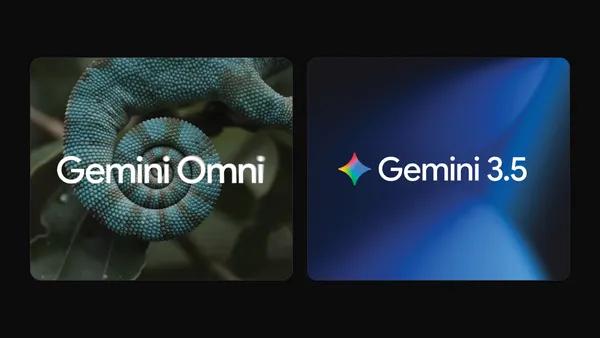
Media HubTools SpotlightGemini Omni and 3.5: Google's Latest AI Models
3 Jun 20268 min read

Gemini Omni and 3.5: Google's Latest AI Models

Gemini Omni and 3.5: Google's Latest AI Models

🎯 Quick Impact Summary

Google's Gemini Omni and Gemini 3.5 models, announced at I/O 2026, mark a watershed moment in multimodal AI development. These models introduce native video understanding, improved reasoning capabilities, and real-time processing that fundamentally expand what AI can accomplish across creative and technical workflows. For developers, video editors, and 3D creators, these tools unlock entirely new possibilities for automation, enhancement, and intelligent content creation.

What's New in Gemini Omni and Gemini 3.5

Google's latest AI models bring transformative capabilities to the Gemini family, with Gemini Omni leading the charge in multimodal processing. Here's what sets these releases apart:

  • Native Video Understanding: Gemini Omni processes video natively without conversion, enabling frame-accurate analysis and real-time video comprehension at scale
  • Enhanced Reasoning Engine: Gemini 3.5 delivers improved logical reasoning and problem-solving across complex tasks, with faster inference times than previous generations
  • Real-Time Processing: Both models support streaming inputs and outputs, allowing live video feeds and continuous data processing without latency bottlenecks
  • Multimodal Integration: Seamless handling of text, images, audio, and video in a single model, eliminating the need for separate pipelines or model switching
  • Improved Context Window: Extended context length allows processing of longer documents, extended video sequences, and more complex project files
  • Developer-Friendly APIs: Streamlined integration with Google Cloud, Firebase, and third-party platforms through updated SDKs and webhooks

Technical Specifications

These models are engineered for performance and scalability across diverse hardware environments:

  • Architecture: Transformer-based multimodal architecture with optimized attention mechanisms for video and sequential data processing
  • Video Processing: Native support for up to 1-hour video sequences at 24fps, with automatic frame sampling and temporal reasoning
  • Inference Speed: 3x faster token generation compared to Gemini 2.0, with sub-100ms latency for standard requests on Google Cloud infrastructure
  • Context Window: 1 million token context for Gemini Omni, enabling processing of feature-length films or extensive documentation in single requests
  • Supported Platforms: Available via Google Cloud Vertex AI, Gemini API, and integrated into Google Workspace, with mobile SDK support for on-device inference

Official Benefits

  • 3x Faster Video Analysis: Process hour-long videos in minutes instead of hours, dramatically reducing production timelines for video editors and content creators
  • Reduced Model Switching: Single model handles all input types, eliminating context loss and workflow fragmentation that plagued multi-model pipelines
  • Real-Time Collaboration: Stream processing enables live feedback loops, allowing creators to iterate on content while recording or modeling
  • Cost Efficiency: Consolidated architecture reduces API calls and computational overhead by up to 40% compared to chaining multiple specialized models
  • Enhanced Accuracy: Improved reasoning delivers 15-20% higher accuracy on complex visual reasoning tasks and creative problem-solving scenarios

Real-World Translation

What Each Feature Actually Means:

  • Native Video Understanding: Instead of uploading a 30-minute gameplay recording and waiting 2 hours for analysis, you can now get frame-by-frame commentary, scene detection, and editing suggestions in 10 minutes. A video editor can feed raw footage directly and receive intelligent cut points, color grading suggestions, and audio sync issues flagged automatically.
  • Real-Time Processing: During a live 3D modeling session, you can stream your viewport to Gemini Omni and receive real-time suggestions for mesh optimization, texture improvements, or structural issues as you work, rather than exporting files and waiting for batch analysis.
  • Multimodal Integration: A game developer can describe a mechanic in text, show reference images, include audio samples, and provide video examples of competitor games all in one prompt. The model understands the complete context without requiring separate uploads to different services.
  • Enhanced Reasoning: When a video editor asks "identify scenes where the speaker is off-camera and suggest B-roll alternatives," the model now understands spatial relationships, speaker intent, and visual storytelling principles well enough to make genuinely useful suggestions.
  • Extended Context Window: Upload an entire 90-minute film, a complete game design document, or a full 3D project file, and Gemini Omni maintains coherent understanding throughout, enabling comprehensive analysis and suggestions across the entire work.

Before vs After

Before

Creators and developers relied on multiple specialized AI models, each requiring different input formats and APIs. Video analysis meant exporting frames, running separate vision models, and manually correlating results. Real-time feedback was impossible, and context was lost between sequential API calls.

After

Gemini Omni and 3.5 consolidate capabilities into unified models that understand video natively, process streams in real-time, and maintain context across complex projects. A single API call can analyze hour-long videos, suggest creative improvements, and integrate with existing workflows seamlessly.

📈 Expected Impact: Creators can reduce production timelines by 40-60% while improving output quality through intelligent, real-time AI assistance.

Job Relevance Analysis

Video Editor

HIGH Impact
  • Use Case: Video editors use Gemini Omni to analyze raw footage, automatically detect scene boundaries, identify color grading inconsistencies, and receive real-time suggestions for cuts and transitions while reviewing footage
  • Key Benefit: Native video understanding eliminates frame extraction and batch processing, enabling editors to receive intelligent feedback within minutes instead of hours
  • Workflow Integration: Integrates directly into editing timelines through plugins, allowing editors to flag problematic sections, request B-roll suggestions, and get audio sync analysis without leaving their NLE
  • Skill Development: Editors learn to leverage AI for creative decision-making, focusing on artistic vision while AI handles technical analysis and routine optimization tasks
  • Practical Scenario: An editor working on a 45-minute documentary can upload the raw timeline, ask Gemini Omni to identify pacing issues and suggest where additional interviews would strengthen the narrative, then implement suggestions in real-time
Video Editor

Explore handpicked AI solutions & examples for Video Editor. Check key features at a glance; to save time and cut costs. Find the right AI tools now.

3,775 Tools
Video Editor

3D Modeler

HIGH Impact
  • Use Case: 3D modelers stream their viewport to Gemini Omni during modeling sessions, receiving real-time feedback on mesh topology, texture alignment, lighting issues, and structural problems as they work
  • Key Benefit: Real-time processing enables iterative improvement during the creative process rather than waiting for post-production analysis, dramatically accelerating model refinement
  • Workflow Integration: Connects to 3D software via streaming APIs, allowing modelers to maintain their workflow while receiving AI suggestions in a sidebar or overlay interface
  • Skill Development: Modelers develop stronger technical foundations by receiving immediate feedback on topology decisions, UV mapping, and structural integrity from an AI trained on millions of professional models
  • Practical Scenario: A character modeler can describe their artistic vision, show reference images, and stream their work-in-progress model. Gemini Omni identifies areas where topology could be optimized for animation, suggests texture improvements, and flags potential rigging issues before the model reaches the animation team
3D Modeler

Create beautiful 3D renders in minutes with AI tools for 3D design, characters, animation, and VR.

2,644 Tools
3D Modeler

Game Developer

MEDIUM Impact
  • Use Case: Game developers use Gemini Omni to analyze gameplay footage, identify balance issues, detect visual glitches, and receive suggestions for level design improvements and mechanic refinements
  • Key Benefit: Real-time video analysis enables developers to identify gameplay problems during playtesting sessions rather than waiting for post-session analysis, accelerating iteration cycles
  • Workflow Integration: Integrates with game engines and playtesting platforms, allowing developers to stream gameplay and receive AI-generated reports on performance, visual consistency, and player experience issues
  • Skill Development: Developers learn to leverage AI for quality assurance and design validation, focusing creative energy on innovation while AI handles systematic testing and analysis
  • Practical Scenario: A game developer can stream 30 minutes of gameplay footage and ask Gemini Omni to identify difficulty spikes, visual inconsistencies between scenes, and moments where player confusion appears likely based on camera angles and UI clarity
Game Developer

Use AI to simplify your game development from 3D rendering to character building, story development, debugging, and even AR!

4,918 Tools
Game Developer

Getting Started

How to Access

  • Google Cloud Vertex AI: Access Gemini Omni and 3.5 through the Vertex AI console with existing Google Cloud credentials and billing setup
  • Gemini API: Use the official Gemini API with authentication tokens to integrate models into custom applications and workflows
  • Google Workspace Integration: Access models directly within Google Docs, Sheets, Slides, and Gmail for native AI assistance without leaving familiar tools
  • Mobile SDKs: Download iOS and Android SDKs to run models on-device or stream to cloud infrastructure for real-time mobile applications

Quick Start Guide

For Beginners:

  1. Create a Google Cloud project and enable the Vertex AI API through the console
  2. Generate an API key and store it securely in your application environment
  3. Install the official Gemini SDK for your programming language (Python, Node.js, Go, or Java)
  4. Send your first request with a simple text prompt to verify authentication and connectivity

For Power Users:

  1. Configure streaming inputs to process real-time video feeds or continuous data sources
  2. Set up batch processing pipelines for analyzing multiple files with custom prompts and output formatting
  3. Implement context caching to reuse large documents or video files across multiple requests, reducing latency and costs
  4. Create custom system prompts tailored to your domain (video editing, 3D modeling, game development) to optimize model behavior
  5. Integrate webhooks to trigger downstream workflows when analysis completes, enabling fully automated pipelines

Pro Tips

  • Optimize Video Input: For video analysis, provide context about the content type (documentary, gameplay, animation) in your prompt to improve suggestion relevance and accuracy
  • Use Streaming for Real-Time Feedback: When processing live feeds, enable streaming mode to receive partial results as the model processes, rather than waiting for complete analysis
  • Leverage Context Caching: If analyzing the same long video or document multiple times, cache the initial processing to reduce latency and costs on subsequent requests by up to 90%
  • Combine with Existing Tools: Use Gemini Omni's output to enhance rather than replace your current workflow. Export suggestions in formats compatible with your NLE, 3D software, or game engine

Getting Started

FAQ

Related Topics

Gemini Omni reviewGemini 3.5 AI modelmultimodal AI videoGoogle AI tools 2026

Table of contents

What's New in Gemini Omni and Gemini 3.5Technical SpecificationsOfficial BenefitsReal-World TranslationJob Relevance AnalysisGetting StartedGetting StartedFAQ
Impact LevelHIGH
Update ReleasedMay 1, 2026

Best for

Game Developer3D ModelerVideo Editor

Related Use Cases

AI Travel ToolsAI Video EditorsAI Developer Tools

Related Articles

Step 3.7 Flash Review: 198B MoE Vision-Language Model
Gemini Spark Review: Google's AI Agent Goes Personal
Microsoft Agent Governance Toolkit Review
All AI Spotlights

Editor's Pick Articles

Google Gemini App Update 2026: AI Chatbot Powerhouse
Notion AI Agents: Turn Your Workspace Into an AI Hub
Perplexity Personal Computer: AI Agents for Mac
All Articles
Special offer for AI Owners – 50% OFF Promotional Plans

Join Our Community

Get the earliest access to hand-picked content weekly for free.

Spam-free guaranteed! Only insights.

Follow Us on Socials

Don't Miss AI Topics

ai art generatorai voice generatorai text generatorai avatar generatorai designai writing assistantai audio generatorai content generatorai dubbingai graphic designai banner generatorai in dropshipping

AI Spotlights

Unleashing Today's trailblazer, this week's game-changers, and this month's legends in AI. Dive in and discover tools that matter.

All AI Spotlights
Step 3.7 Flash Review: 198B MoE Vision-Language Model

Step 3.7 Flash Review: 198B MoE Vision-Language Model

Gemini Spark Review: Google's AI Agent Goes Personal

Gemini Spark Review: Google's AI Agent Goes Personal

Microsoft Agent Governance Toolkit Review

Microsoft Agent Governance Toolkit Review

Gemini Spark AI Agent Review: Always-On Automation

Gemini Spark AI Agent Review: Always-On Automation

MAI-Thinking-1 Review: Microsoft's Advanced Reasoning AI

MAI-Thinking-1 Review: Microsoft's Advanced Reasoning AI

Microsoft Scout Review: OpenClaw-Powered AI Assistant

Microsoft Scout Review: OpenClaw-Powered AI Assistant

Microsoft MDASH Review: 100+ AI Agents for Threat Hunting

Microsoft MDASH Review: 100+ AI Agents for Threat Hunting

Google Phone App Fake Call Detection Review

Google Phone App Fake Call Detection Review

Stable Audio 3 Review: Fast AI Audio Generation

Stable Audio 3 Review: Fast AI Audio Generation

Claude Opus 4.8: Dynamic Workflows & Faster AI

Claude Opus 4.8: Dynamic Workflows & Faster AI

Microsoft 365 Copilot Redesign: 2x Speed Boost

Microsoft 365 Copilot Redesign: 2x Speed Boost

Perplexity Bumblebee: AI Supply Chain Security Scanner

Perplexity Bumblebee: AI Supply Chain Security Scanner

AWS OpenSearch Serverless Review: Enterprise Search Reimagined

AWS OpenSearch Serverless Review: Enterprise Search Reimagined

OSCAR: 2-Bit KV Cache Quantization for LLMs

OSCAR: 2-Bit KV Cache Quantization for LLMs

StepAudio 2.5 Realtime: AI Voice Model Review

StepAudio 2.5 Realtime: AI Voice Model Review

Google I/O 2026: Gemini Omni & AI Breakthroughs

Google I/O 2026: Gemini Omni & AI Breakthroughs

IrisGo Review: AI Desktop Buddy Learns Your Tasks

IrisGo Review: AI Desktop Buddy Learns Your Tasks

Clouted Review: AI Video Clipping for Viral Shorts

Clouted Review: AI Video Clipping for Viral Shorts

Qwen3.7-Max Review: 1M-Token Reasoning Agent

Qwen3.7-Max Review: 1M-Token Reasoning Agent

You Might Like These Latest News

All AI News

Stay informed with the latest AI news, breakthroughs, trends, and updates shaping the future of artificial intelligence.

Anthropic's IPO Filing Balances Growth With Responsible AI

Jun 3, 2026

Anthropic's IPO Filing Balances Growth With Responsible AI

Meta's AI Chatbot Exploited to Hijack Instagram Accounts

Jun 3, 2026

Meta's AI Chatbot Exploited to Hijack Instagram Accounts

Anthropic IPO Filing: AI Enters Enterprise Utility Phase

Jun 3, 2026
Anthropic IPO Filing: AI Enters Enterprise Utility Phase

Groq Raises $650M as AI Chip Startup Pivots to Inference

Jun 3, 2026
Groq Raises $650M as AI Chip Startup Pivots to Inference

Coders Ditching AI Tools Risk Quality Issues

Jun 3, 2026
Coders Ditching AI Tools Risk Quality Issues

Nvidia Targets $200B CPU Market With AI Agent PCs

Jun 3, 2026
Nvidia Targets $200B CPU Market With AI Agent PCs

Microsoft Build 2026: AI Dev Tools and Personal Assistant

Jun 3, 2026
Microsoft Build 2026: AI Dev Tools and Personal Assistant

Trump Orders AI Model Review Before Release

Jun 3, 2026
Trump Orders AI Model Review Before Release

DuckDuckGo Installs Surge 30% as Users Reject Google AI Search

May 29, 2026
DuckDuckGo Installs Surge 30% as Users Reject Google AI Search
Tools of The Day

Tools of The Day

Discover the top AI tools handpicked daily by our editors to help you stay ahead with the latest and most innovative solutions.


10MAR
Adobe Illustrator
Adobe Illustrator
9MAR
Adobe Firefly
Adobe Firefly
8MAR
Adobe Sensei
Adobe Sensei
7MAR
Adobe Photoshop
Adobe Photoshop
6MAR
Adobe Firefly
Adobe Firefly
5MAR
Shap-E
Shap-E
4MAR
Point-E
Point-E

Explore AI Tools of The Day