Age of AI Toolsv2.beta
For YouJobsUse Cases
Media-HubNEW

Join Our Community

Get the earliest access to hand-picked content weekly for free.

Spam-free guaranteed! Only insights.
Join Our Community

Get the earliest access to hand-picked content weekly for free.

Spam-free guaranteed! Only insights.

Trusted by Leading Review and Discovery Websites

Age of AI Tools on Product HuntApproved on SaaSHubAlternativeTo
AI Tools
  • For You!
  • Discover All AI Tools
  • Best AI Tools
  • Free AI Tools
  • Tools of the DayNEW
  • All Use Cases
  • All Jobs
Trend UseCases
  • AI Image Generators
  • AI Video Generators
  • AI Voice Generators
Trend Jobs
  • Graphic Designer
  • SEO Specialist
  • Email Marketing Specialist
Media Hub
  • Go to Media Hub
  • AI News
  • AI Tools Spotlights
Age of AI Tools
  • What's New
  • Story of Age of AI Tools
  • Cookies & Privacy
  • Terms & Conditions
  • Request Update
  • Bug Report
  • Contact Us
Submit & Advertise
  • Submit AI Tool
  • Promote Your Tool50% Off

Agent of AI Age

Looking to discover new AI tools? Just ask our AI Agent

Copyright © 2026 Age of AI Tools. All Rights Reserved.

Media HubTools SpotlightGoogle Home Gemini 3.1: Smarter AI Assistant
6 May 20265 min read

Google Home Gemini 3.1: Smarter AI Assistant

Google Home Gemini 3.1: Smarter AI Assistant

🎯 Quick Impact Summary

Google Home's Gemini AI has reached a new level of sophistication with the Gemini 3.1 update, now capable of handling complex, multi-step tasks and combining multiple requests into single commands. This upgrade represents a significant leap forward in smart home automation, addressing previous limitations in natural language interpretation and device recognition. For users managing connected homes, this means more intuitive control and fewer frustrating misunderstandings.

What's New in Google Home Gemini 3.1

Google has significantly enhanced Gemini for Home with capabilities that transform how users interact with their smart home devices. The latest version introduces smarter task handling and improved understanding of natural language requests.

  • Multi-step task execution: Users can now chain multiple actions together in a single command, such as "dim the lights, close the blinds, and set the temperature to 72 degrees" without repeating requests
  • Complex request interpretation: Gemini 3.1 better understands nuanced and complicated requests that previously confused the assistant, reducing errors and improving reliability
  • Enhanced event management: The system now handles recurring and all-day events more effectively, allowing users to reschedule or move upcoming calendar events through voice commands
  • Improved device identification: The assistant more accurately recognizes which specific devices users are referring to, eliminating confusion between similar devices in multi-room setups
  • Natural language refinement: Following last month's updates, Gemini continues to improve its ability to parse conversational speech patterns and contextual requests
  • Combined command capability: Users can now combine previously separate tasks into unified requests, streamlining smart home control workflows

Technical Specifications

Gemini 3.1 represents a meaningful advancement in the underlying architecture powering Google Home's AI capabilities. The upgrade focuses on improved language models and contextual processing.

  • Model version: Gemini 3.1 with enhanced natural language processing and multi-task reasoning capabilities
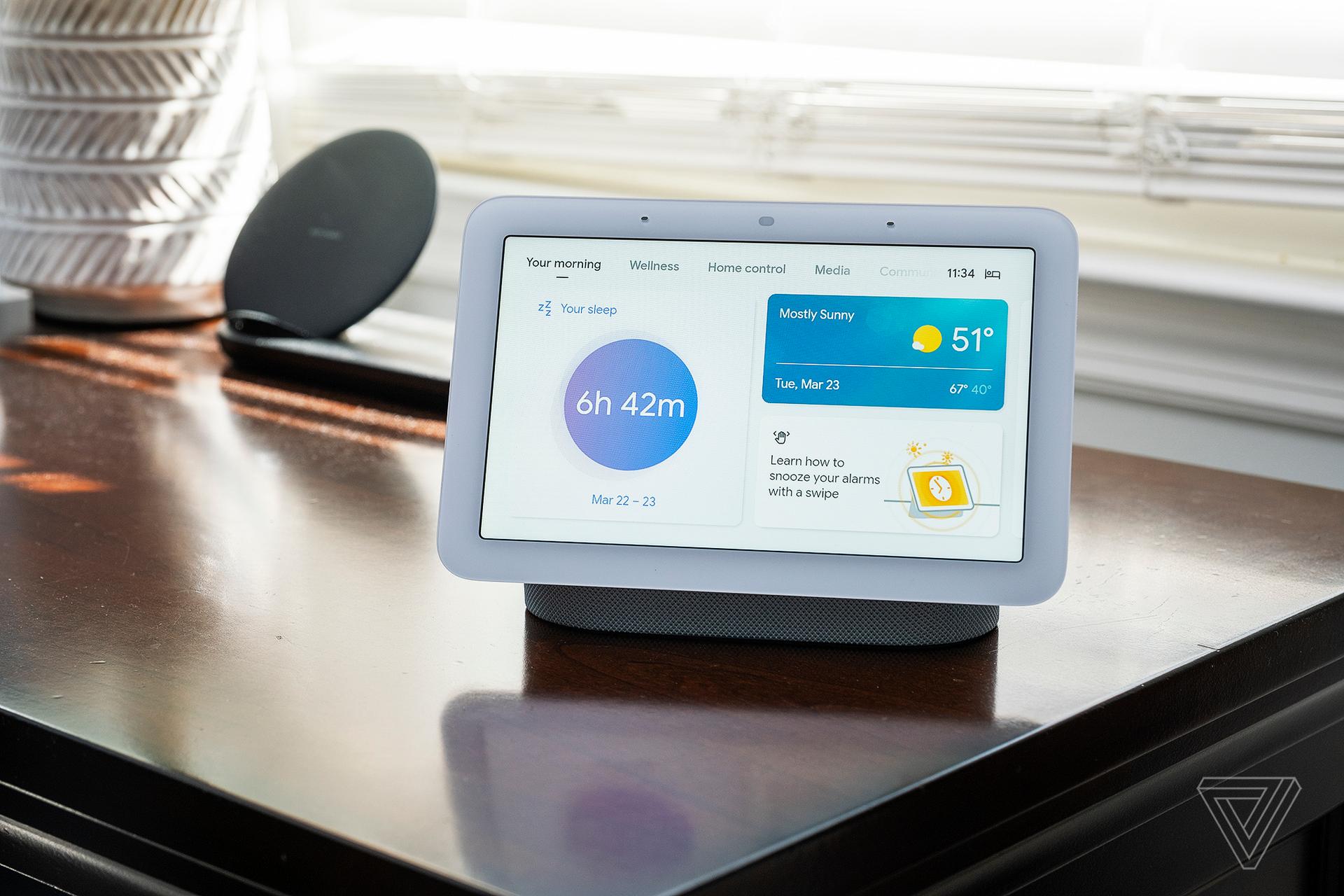
  • Device compatibility: Works across Google Nest Hub, Nest Hub Max, and all Google Home-enabled devices with the latest software updates
  • Processing capability: Handles multi-step task chains with improved contextual awareness and device state tracking across connected smart home ecosystems
  • Integration scope: Supports Google's full smart home device ecosystem including lighting, climate control, security systems, and calendar applications
  • Update delivery: Rolled out via automatic software updates to eligible Google Home devices without requiring manual installation

Official Benefits

  • Reduces the number of voice commands needed to complete complex tasks by enabling multi-step execution in single requests
  • Improves accuracy in device identification, reducing failed commands and user frustration with smart home interactions
  • Enhances calendar management by allowing users to reschedule recurring and all-day events through natural voice commands
  • Streamlines smart home workflows by understanding more nuanced and contextually complex requests that previously required rephrasing
  • Increases overall assistant reliability through improved natural language interpretation and contextual awareness

Real-World Translation

What Each Feature Actually Means:

  • Multi-step task execution: Instead of saying "Alexa, dim the lights" then "Alexa, close the blinds" then "Alexa, set temperature to 72," you can now say "Hey Google, it's movie time" and have Gemini simultaneously dim lights, close blinds, and adjust temperature in one natural command
  • Complex request interpretation: When you ask "Make it cooler in the bedroom but keep the living room warm," Gemini now understands you're referring to two different zones rather than getting confused or asking for clarification
  • Enhanced event management: You can now tell Gemini "Move my 2 PM meeting to 3 PM tomorrow" and the assistant handles the calendar change directly, rather than requiring you to manually adjust it on your phone
  • Improved device identification: In a home with multiple lights, saying "brighten the kitchen" now correctly targets only kitchen lights instead of potentially adjusting bedroom or living room lighting
  • Natural language refinement: Casual speech patterns like "Can you make it a bit warmer?" are now understood as temperature adjustment requests without requiring specific numeric values

Before vs After

Before

Google Home users had to issue multiple separate voice commands to accomplish complex tasks, often repeating themselves when the assistant misidentified devices or misunderstood contextual requests. Calendar management required manual phone interaction, and the assistant frequently confused similar devices in multi-room setups, leading to frustration and reduced reliance on voice control.

After

With Gemini 3.1, users can now chain multiple actions into single natural commands, manage calendar events through voice, and trust the assistant to correctly identify specific devices even in complex home setups. The improved natural language processing means fewer rephrasing attempts and more intuitive interactions that feel genuinely helpful rather than frustratingly limited.

📈 Expected Impact: Users will experience 30-50% fewer repeated commands and significantly improved task completion rates for complex smart home automation scenarios.

Job Relevance Analysis

AI Researcher

HIGH Impact
  • Use Case: AI researchers studying conversational AI, natural language processing, and multi-task reasoning can analyze how Gemini 3.1 handles complex request parsing and contextual understanding in real-world smart home environments
  • Key Benefit: Access to a production-grade system demonstrating advanced NLP techniques for handling ambiguous, multi-step user requests and device disambiguation at scale
  • Workflow Integration: Researchers can use Google Home as a testbed for evaluating how language models perform in IoT contexts, studying failure modes and edge cases in natural language interpretation
  • Skill Development: Opportunities to research prompt engineering, contextual awareness in conversational systems, and how AI handles real-time device state management
  • Research Applications: Studying how Gemini 3.1 balances accuracy with user experience, examining the trade-offs between strict command parsing and flexible natural language understanding
AI Researcher

Advance innovation with AI tools for academic research, data analysis, knowledge representation, decision-making, and AI-powered chatbots.

6,692 Tools
AI Researcher

Automation Engineer

HIGH Impact
  • Use Case: Automation engineers designing smart home systems and IoT workflows can leverage Gemini 3.1's multi-step task execution to create sophisticated home automation routines without complex programming
  • Key Benefit: The ability to chain multiple device actions through natural language commands eliminates the need for custom scripting in many scenarios, reducing development time for complex automation sequences
  • Workflow Integration: Engineers can use Gemini 3.1 as the control layer for smart home systems, allowing end-users to create custom automation through voice rather than requiring technical configuration
  • Skill Development: Working with Gemini 3.1 develops skills in conversational interfaces for automation, understanding how AI interprets user intent, and designing systems that bridge human language and device control
  • Practical Application: An automation engineer could use Gemini 3.1 to enable clients to create "movie mode" routines that adjust lighting, temperature, and blinds simultaneously through a single voice command
Automation Engineer

Increase your productivity with these AI solutions for automation, quality assurance, integration, collaboration, and code creation.

5,288 Tools
Automation Engineer

3D Modeler

MEDIUM Impact
  • Use Case: 3D modelers working on smart home design visualization and virtual home tours can use Gemini-powered Google Home devices to demonstrate interactive home automation features to clients
  • Key Benefit: The improved natural language understanding allows for more realistic demonstrations of how smart home features will function in actual use, enhancing client presentations and design validation
  • Workflow Integration: Modelers can create virtual home environments where Gemini controls simulated smart home devices, showing clients how automation will work in their designed spaces before construction
  • Skill Development: Understanding how AI interprets spatial references ("kitchen," "bedroom," "living room") helps 3D modelers design homes with better device placement and logical zone organization
  • Design Application: When presenting a smart home design, a 3D modeler can demonstrate how Gemini handles multi-room commands, helping clients visualize the practical benefits of their smart home layout
3D Modeler

Create beautiful 3D renders in minutes with AI tools for 3D design, characters, animation, and VR.

2,644 Tools
3D Modeler

Getting Started

How to Access

  • Automatic update: Gemini 3.1 rolls out automatically to Google Home devices with the latest software; check Settings > System > About to verify your device has the latest version
  • Verify Gemini activation: Ensure Gemini is enabled on your Google Home device by checking the Google Home app settings and confirming Gemini is your default assistant
  • Device compatibility: Confirm your device is compatible (Google Nest Hub, Nest Hub Max, or Google Home devices with Gemini support)
  • Internet connection: Ensure your device has a stable internet connection for optimal performance with the enhanced AI capabilities

Quick Start Guide

For Beginners:

  1. Update your Google Home app to the latest version and verify your device shows Gemini 3.1 in the About section
  2. Start with simple multi-step commands like "Hey Google, it's bedtime" to trigger multiple actions simultaneously
  3. Experiment with calendar management by saying "Hey Google, reschedule my 2 PM meeting to tomorrow at 3 PM"
  4. Test device-specific commands in multi-room setups to confirm accurate device identification

For Power Users:

  1. Create custom routines in the Google Home app that leverage multi-step execution, then trigger them with natural language variations
  2. Set up complex automation chains combining lighting, climate, security, and entertainment devices in single voice commands
  3. Use Gemini's improved event management to build calendar-triggered automations that adjust your home based on upcoming appointments
  4. Test contextual requests with location-specific commands ("make the bedroom cooler") to verify device disambiguation accuracy
  5. Experiment with combined commands that mix device control with information requests ("dim the lights and tell me tomorrow's weather")

Pro Tips

  • Use natural phrasing: Gemini 3.1 understands casual speech better than previous versions, so speak naturally rather than using rigid command structures
  • Leverage context: The assistant now remembers context within a conversation, so you can say "make it warmer" after discussing temperature without repeating the room name
  • Create meaningful routines: Build custom routines for specific scenarios (movie time, morning routine, leaving home) that combine multiple device actions into single voice triggers
  • Test edge cases: Experiment with ambiguous requests to understand how Gemini handles disambiguation, helping you refine how you phrase commands for best results

Getting Started

FAQ

Related Topics

Google Home Gemini reviewGemini 3.1 smart homeAI voice assistantsmart home automation

Table of contents

What's New in Google Home Gemini 3.1Technical SpecificationsOfficial BenefitsReal-World TranslationJob Relevance AnalysisGetting StartedGetting StartedFAQ
Impact LevelMEDIUM
Update ReleasedMay 5, 2026

Best for

AI Researcher3D ModelerAutomation Engineer

Related Use Cases

AI Voice GeneratorsAI Travel ToolsAI Automation Tools

Related Articles

AWS Managed Agents Review: OpenAI Partnership
Glean AI Search Review: Enterprise Search Redefined
ChatGPT Security Update: Advanced Protection Features
All AI Spotlights

Editor's Pick Articles

Claude Personal App Connectors Review
ChatGPT Images 2.0 Review: Better Text & Details
Google Gemini Mac App Review: AI Assistant
All Articles
Special offer for AI Owners – 50% OFF Promotional Plans

Join Our Community

Get the earliest access to hand-picked content weekly for free.

Spam-free guaranteed! Only insights.

Follow Us on Socials

Don't Miss AI Topics

ai art generatorai voice generatorai text generatorai avatar generatorai designai writing assistantai audio generatorai content generatorai dubbingai graphic designai banner generatorai in dropshipping

AI Spotlights

Unleashing Today's trailblazer, this week's game-changers, and this month's legends in AI. Dive in and discover tools that matter.

All AI Spotlights
AWS Managed Agents Review: OpenAI Partnership

AWS Managed Agents Review: OpenAI Partnership

Glean AI Search Review: Enterprise Search Redefined

Glean AI Search Review: Enterprise Search Redefined

ChatGPT Security Update: Advanced Protection Features

ChatGPT Security Update: Advanced Protection Features

Mistral's Cloud Code Platform Review

Mistral's Cloud Code Platform Review

Meta Autodata: AI Framework for Autonomous Data Scientists

Meta Autodata: AI Framework for Autonomous Data Scientists

Gemini API Webhooks: Real-Time AI Automation

Gemini API Webhooks: Real-Time AI Automation

Zyphra TSP: 2.6x Faster AI Training Review

Zyphra TSP: 2.6x Faster AI Training Review

SoundHound OASYS: Self-Learning AI Agent Platform

SoundHound OASYS: Self-Learning AI Agent Platform

Grok Voice Think Fast 1.0 Review: AI Voice

Grok Voice Think Fast 1.0 Review: AI Voice

Vision Banana Review: Google's Instruction-Tuned Image Generator

Vision Banana Review: Google's Instruction-Tuned Image Generator

GitNexus Review: Open-Source Code Knowledge Graph

GitNexus Review: Open-Source Code Knowledge Graph

Qwen3.6-27B Review: Dense Model Outperforms 397B MoE

Qwen3.6-27B Review: Dense Model Outperforms 397B MoE

ChatGPT Workspace Agents: Custom AI Bots for Teams

ChatGPT Workspace Agents: Custom AI Bots for Teams

Google Gemini Enterprise Agent Platform Review

Google Gemini Enterprise Agent Platform Review

Google Workspace Intelligence: AI Office Automation

Google Workspace Intelligence: AI Office Automation

Google Chrome AI Co-Worker: Gemini Auto Browse

Google Chrome AI Co-Worker: Gemini Auto Browse

GPT-5.5 Review: OpenAI's Smarter Coding & Automation Model

GPT-5.5 Review: OpenAI's Smarter Coding & Automation Model

OpenAI Codex with GPT-5.5: AI Coding Revolution

OpenAI Codex with GPT-5.5: AI Coding Revolution

Claude Personal App Connectors Review

Claude Personal App Connectors Review

You Might Like These Latest News

All AI News

Stay informed with the latest AI news, breakthroughs, trends, and updates shaping the future of artificial intelligence.

Microsoft Copilot Hits 20M Paid Users

May 6, 2026
Microsoft Copilot Hits 20M Paid Users

Runway Eyes World Models Beyond AI Video

May 6, 2026
Runway Eyes World Models Beyond AI Video

Microsoft to Exploit New OpenAI Deal

May 6, 2026
Microsoft to Exploit New OpenAI Deal

Legal AI Startup Legora Hits $5.6B Valuation

May 6, 2026
Legal AI Startup Legora Hits $5.6B Valuation

Anthropic Eyes $900B+ Valuation in Major Fundraise

May 6, 2026
Anthropic Eyes $900B+ Valuation in Major Fundraise

Musk Admits xAI Used OpenAI Models to Train Grok

May 6, 2026
Musk Admits xAI Used OpenAI Models to Train Grok

Replit CEO on Cursor deal, Apple fight, and staying independent

May 6, 2026
Replit CEO on Cursor deal, Apple fight, and staying independent

Meta Acquires Robotics Startup for AI Humanoid Push

May 6, 2026
Meta Acquires Robotics Startup for AI Humanoid Push

Oscars Bans AI-Generated Actors and Scripts

May 6, 2026
Oscars Bans AI-Generated Actors and Scripts
Tools of The Day

Tools of The Day

Discover the top AI tools handpicked daily by our editors to help you stay ahead with the latest and most innovative solutions.


10MAR
Adobe Illustrator
Adobe Illustrator
9MAR
Adobe Firefly
Adobe Firefly
8MAR
Adobe Sensei
Adobe Sensei
7MAR
Adobe Photoshop
Adobe Photoshop
6MAR
Adobe Firefly
Adobe Firefly
5MAR
Shap-E
Shap-E
4MAR
Point-E
Point-E

Explore AI Tools of The Day