Age of AI Toolsv2.beta
For YouJobsUse Cases
Media-HubNEW

Join Our Community

Get the earliest access to hand-picked content weekly for free.

Spam-free guaranteed! Only insights.
Join Our Community

Get the earliest access to hand-picked content weekly for free.

Spam-free guaranteed! Only insights.

Trusted by Leading Review and Discovery Websites

Age of AI Tools on Product HuntApproved on SaaSHubAlternativeTo
AI Tools
  • For You!
  • Discover All AI Tools
  • Best AI Tools
  • Free AI Tools
  • Tools of the DayNEW
  • All Use Cases
  • All Jobs
Trend UseCases
  • AI Image Generators
  • AI Video Generators
  • AI Voice Generators
Trend Jobs
  • Graphic Designer
  • SEO Specialist
  • Email Marketing Specialist
Media Hub
  • Go to Media Hub
  • AI News
  • AI Tools Spotlights
Age of AI Tools
  • What's New
  • Story of Age of AI Tools
  • Cookies & Privacy
  • Terms & Conditions
  • Request Update
  • Bug Report
  • Contact Us
Submit & Advertise
  • Submit AI Tool
  • Promote Your Tool50% Off

Agent of AI Age

Looking to discover new AI tools? Just ask our AI Agent

Copyright © 2026 Age of AI Tools. All Rights Reserved.

Media HubTools SpotlightGoogle Gemini Enterprise Agent Platform Review
24 Apr 20265 min read

Google Gemini Enterprise Agent Platform Review

Google Gemini Enterprise Agent Platform Review

🎯 Quick Impact Summary

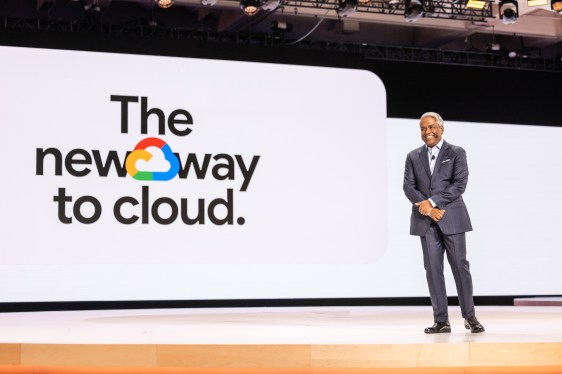
Google's Gemini Enterprise Agent Platform represents a strategic shift in how enterprises build AI agents, deliberately targeting technical and IT users rather than business users. This developer-centric approach prioritizes integration depth, customization, and control over ease-of-use, positioning it as a powerful tool for organizations with strong technical teams. The platform signals Google's commitment to enterprise AI automation while acknowledging that not all agent-building tools need to be no-code solutions.

What's New in Gemini Enterprise Agent Platform

Google's latest agent-building platform introduces a distinctly technical approach to enterprise AI automation. Rather than following the trend of no-code, business-user-friendly interfaces, this platform embraces complexity in service of power and flexibility.

  • Developer-First Architecture: Built specifically for IT and technical users, not business analysts or non-technical stakeholders, enabling deeper customization and control
  • Enterprise Integration Focus: Designed to connect seamlessly with existing enterprise systems, APIs, and data sources through technical interfaces
  • Advanced Customization Options: Provides granular control over agent behavior, decision-making logic, and response generation for sophisticated use cases
  • Scalable Infrastructure: Built on Google Cloud's enterprise-grade infrastructure, supporting large-scale deployments across organizations
  • Security and Compliance Controls: Includes enterprise-level security features, audit trails, and compliance management for regulated industries
  • Multi-Agent Orchestration: Enables coordination between multiple agents for complex workflows and distributed task execution

Technical Specifications

The platform is engineered for enterprise deployments with specific technical requirements and capabilities that distinguish it from consumer-grade alternatives.

  • API-First Design: RESTful and gRPC APIs enable programmatic agent creation, management, and deployment without UI dependency
  • Language and Framework Support: Compatible with Python, Node.js, Java, and Go, allowing integration into existing development workflows
  • Gemini Model Integration: Leverages Google's latest Gemini models with enterprise-grade SLAs and performance guarantees
  • Deployment Options: Supports both Google Cloud managed deployments and hybrid/on-premises configurations for regulated environments
  • Scalability Metrics: Handles thousands of concurrent agent instances with sub-second response times under typical enterprise loads

Official Benefits

  • Reduced Development Time: Technical teams can build production-ready agents in weeks rather than months through streamlined APIs and pre-built components
  • Enhanced Control and Customization: Developers gain fine-grained control over agent behavior, enabling specialized solutions for complex business problems
  • Enterprise-Grade Security: Built-in compliance features, encryption, and audit logging meet regulatory requirements for healthcare, finance, and government sectors
  • Seamless Integration: Native connectors and APIs integrate directly with existing enterprise tools, databases, and workflows without middleware
  • Cost Efficiency: Reduces need for specialized AI consultants by empowering internal technical teams to build and maintain agents independently

Real-World Translation

What Each Feature Actually Means:

  • Developer-First Architecture: Your IT team can build agents tailored to your specific business logic without waiting for vendor support or workarounds. A financial services company could create an agent that understands their proprietary trading rules and risk management protocols directly.
  • Enterprise Integration Focus: Agents connect directly to your existing databases, CRM systems, and internal APIs without expensive middleware or data transformation layers. A healthcare provider could build an agent that queries patient records, insurance databases, and appointment systems in real-time.
  • Advanced Customization Options: You're not limited to pre-built templates or vendor constraints. A manufacturing company could create an agent that understands their specific production workflows, quality standards, and supply chain logic.
  • Multi-Agent Orchestration: Complex processes that require multiple specialized agents working together become manageable. A logistics company could deploy separate agents for route optimization, inventory management, and customer communication that coordinate seamlessly.
  • Security and Compliance Controls: Your agents meet regulatory requirements without additional third-party tools. A financial institution can deploy agents with complete audit trails, encryption, and compliance documentation built-in.

Technical team collaboration interface

Before vs After

Before

Enterprises building AI agents had to choose between no-code platforms that lacked customization depth or building from scratch with general-purpose AI frameworks. This meant either accepting vendor limitations or investing months in custom development with significant technical debt. Organizations with complex requirements often ended up with expensive consulting engagements or half-baked solutions.

After

Technical teams now have a purpose-built platform that combines Google's AI capabilities with enterprise integration features and developer-friendly APIs. Agents can be built, deployed, and maintained by internal teams without sacrificing customization or control. Organizations gain the flexibility of custom development with the speed and reliability of a managed platform.

📈 Expected Impact: Technical enterprises can reduce agent development timelines by 60-70% while maintaining full control over customization and integration. *

Job Relevance Analysis

Automation Engineer

HIGH Impact
  • Use Case: Automation engineers use this platform to design, build, and deploy AI agents that orchestrate complex business processes across multiple systems and data sources
  • Key Benefit: Direct API access and multi-agent orchestration capabilities enable engineers to create sophisticated automation workflows that would be impossible with no-code tools
  • Workflow Integration: Fits seamlessly into existing automation frameworks and DevOps pipelines, allowing agents to be version-controlled, tested, and deployed like traditional software
  • Skill Development: Strengthens expertise in AI integration, API design, and enterprise system architecture while reducing reliance on external AI consultants
  • Daily Tasks: Building agent logic for invoice processing, customer support routing, data validation, and cross-system workflow automation
Automation Engineer

Increase your productivity with these AI solutions for automation, quality assurance, integration, collaboration, and code creation.

5,288 Tools
Automation Engineer

AI Researcher

MEDIUM Impact
  • Use Case: AI researchers leverage the platform to test new agent architectures, experiment with different Gemini model configurations, and validate research hypotheses in production environments
  • Key Benefit: Access to enterprise-grade infrastructure and Gemini models enables researchers to run large-scale experiments without managing underlying infrastructure
  • Workflow Integration: Provides a bridge between research prototypes and production deployment, allowing researchers to validate findings with real enterprise data and workloads
  • Skill Development: Deepens understanding of how AI models perform in real-world enterprise contexts versus controlled research environments
  • Daily Tasks: Experimenting with agent prompting strategies, testing multi-agent coordination patterns, analyzing agent performance metrics, and optimizing model configurations
AI Researcher

Advance innovation with AI tools for academic research, data analysis, knowledge representation, decision-making, and AI-powered chatbots.

6,692 Tools
AI Researcher

Business Analyst

LOW Impact
  • Use Case: Business analysts work with technical teams to define agent requirements, specify business logic, and validate that deployed agents meet business objectives
  • Key Benefit: While not a direct user of the platform, analysts benefit from faster agent development cycles and more sophisticated capabilities that enable new automation opportunities
  • Workflow Integration: Serves as a requirements translator between business needs and technical implementation, documenting agent specifications and success metrics
  • Skill Development: Develops deeper understanding of AI capabilities and limitations, enabling more informed business case development for AI automation projects
  • Daily Tasks: Defining agent use cases, documenting business requirements, validating agent outputs against business rules, and measuring ROI of deployed agents
Business Analyst

Improve project results via AI for data analysis, task management, market research, financial planning, and reporting.

3,715 Tools
Business Analyst

Getting Started

How to Access

  1. Navigate to Google Cloud Console and enable the Gemini Enterprise Agent Platform API
  2. Set up authentication credentials and configure your Google Cloud project with appropriate IAM roles
  3. Install the Google Cloud SDK and relevant language-specific client libraries for your development environment
  4. Access the platform through the Cloud Console UI or programmatically via APIs depending on your workflow preference

Quick Start Guide

For Beginners:

  1. Start with the Cloud Console UI to explore pre-built agent templates and understand the basic agent architecture
  2. Create your first simple agent using the guided setup wizard, connecting it to a sample data source
  3. Test the agent with sample queries and review the logs to understand how requests flow through the system
  4. Review the official documentation and tutorials before moving to API-based development

For Power Users:

  1. Set up your development environment with the Google Cloud SDK and language-specific client libraries
  2. Define your agent schema, specify custom tools and integrations, and configure multi-agent orchestration patterns
  3. Implement custom authentication, implement specialized business logic through agent instructions, and set up monitoring and alerting
  4. Deploy agents to production using CI/CD pipelines, implement version control for agent configurations, and establish performance baselines
  5. Optimize agent performance through prompt engineering, model selection, and caching strategies based on production metrics

Pro Tips

  • Start with Clear Requirements: Document your agent's specific responsibilities, data sources, and expected outputs before writing code to avoid rework
  • Leverage Pre-Built Connectors: Use Google's pre-built integrations for common enterprise systems rather than building custom connectors from scratch
  • Implement Comprehensive Logging: Set up detailed logging and monitoring from day one to troubleshoot issues and optimize performance in production
  • Test Multi-Agent Scenarios: If using multiple agents, thoroughly test coordination patterns and failure scenarios before production deployment

FAQ

Related Topics

Gemini Enterprise Agent PlatformAI agent builderenterprise automationGoogle Cloud AI agents

Table of contents

What's New in Gemini Enterprise Agent PlatformTechnical SpecificationsOfficial BenefitsReal-World TranslationJob Relevance AnalysisGetting StartedFAQ
Impact LevelMEDIUM
Update ReleasedApril 22, 2026

Best for

AI ResearcherBusiness AnalystAutomation Engineer

Related Use Cases

AI Automation ToolsAI Business ToolsAI Platform-Specific Tools

Related Articles

Qwen3.6-27B Review: Dense Model Outperforms 397B MoE
ChatGPT Workspace Agents: Custom AI Bots for Teams
Google Workspace Intelligence: AI Office Automation
All AI Spotlights

Editor's Pick Articles

Claude Personal App Connectors Review
ChatGPT Images 2.0 Review: Better Text & Details
Google Gemini Mac App Review: AI Assistant
All Articles
Special offer for AI Owners – 50% OFF Promotional Plans

Join Our Community

Get the earliest access to hand-picked content weekly for free.

Spam-free guaranteed! Only insights.

Follow Us on Socials

Don't Miss AI Topics

ai art generatorai voice generatorai text generatorai avatar generatorai designai writing assistantai audio generatorai content generatorai dubbingai graphic designai banner generatorai in dropshipping

AI Spotlights

Unleashing Today's trailblazer, this week's game-changers, and this month's legends in AI. Dive in and discover tools that matter.

All AI Spotlights
Qwen3.6-27B Review: Dense Model Outperforms 397B MoE

Qwen3.6-27B Review: Dense Model Outperforms 397B MoE

ChatGPT Workspace Agents: Custom AI Bots for Teams

ChatGPT Workspace Agents: Custom AI Bots for Teams

Google Workspace Intelligence: AI Office Automation

Google Workspace Intelligence: AI Office Automation

Google Chrome AI Co-Worker: Gemini Auto Browse

Google Chrome AI Co-Worker: Gemini Auto Browse

GPT-5.5 Review: OpenAI's Smarter Coding & Automation Model

GPT-5.5 Review: OpenAI's Smarter Coding & Automation Model

OpenAI Codex with GPT-5.5: AI Coding Revolution

OpenAI Codex with GPT-5.5: AI Coding Revolution

Claude Personal App Connectors Review

Claude Personal App Connectors Review

Noscroll Review: AI Bot Stops Doomscrolling

Noscroll Review: AI Bot Stops Doomscrolling

X's AI Custom Feeds: Grok-Powered Personalization

X's AI Custom Feeds: Grok-Powered Personalization

Anthropic's Mythos Finds 271 Firefox Bugs

Anthropic's Mythos Finds 271 Firefox Bugs

ChatGPT Images 2.0 Review: Better Text & Details

ChatGPT Images 2.0 Review: Better Text & Details

Adobe AI Agent Platform for CX Review

Adobe AI Agent Platform for CX Review

Google Gemini Mac App Review: AI Assistant

Google Gemini Mac App Review: AI Assistant

TinyFish AI Platform Review: Web Infrastructure for AI Agents

TinyFish AI Platform Review: Web Infrastructure for AI Agents

Google Home Gemini Update: Fixes Interruptions

Google Home Gemini Update: Fixes Interruptions

OpenAI Agents SDK Update: Enterprise Safety & Capability

OpenAI Agents SDK Update: Enterprise Safety & Capability

IBM Autonomous Security Service Review

IBM Autonomous Security Service Review

GPT-Rosalind Review: OpenAI's Life Sciences AI

GPT-Rosalind Review: OpenAI's Life Sciences AI

Claude Opus 4.7 Review: Enterprise AI Without Hallucinations

Claude Opus 4.7 Review: Enterprise AI Without Hallucinations

You Might Like These Latest News

All AI News

Stay informed with the latest AI news, breakthroughs, trends, and updates shaping the future of artificial intelligence.

AI Models Show Alarming Scam and Social Engineering Skills

Apr 24, 2026
AI Models Show Alarming Scam and Social Engineering Skills

Google Cloud Launches New AI Chips to Challenge Nvidia

Apr 24, 2026
Google Cloud Launches New AI Chips to Challenge Nvidia

AI Bubble Risk Triggers Financial Crisis Warning

Apr 24, 2026
AI Bubble Risk Triggers Financial Crisis Warning

Sierra Acquires Fragment to Expand AI Customer Service

Apr 24, 2026
Sierra Acquires Fragment to Expand AI Customer Service

Meta Cuts 10% of Staff Amid AI Investment Push

Apr 24, 2026
Meta Cuts 10% of Staff Amid AI Investment Push

Anthropic's Mythos AI breach undermines safety claims

Apr 24, 2026
Anthropic's Mythos AI breach undermines safety claims

Tim Cook's Apple Legacy Shift Signals Major Changes

Apr 24, 2026
Tim Cook's Apple Legacy Shift Signals Major Changes

Stanford's Viral AI Course Draws Silicon Valley Leaders

Apr 24, 2026
Stanford's Viral AI Course Draws Silicon Valley Leaders

First Quantum-Safe Ransomware Detected

Apr 24, 2026
First Quantum-Safe Ransomware Detected
Tools of The Day

Tools of The Day

Discover the top AI tools handpicked daily by our editors to help you stay ahead with the latest and most innovative solutions.


10MAR
Adobe Illustrator
Adobe Illustrator
9MAR
Adobe Firefly
Adobe Firefly
8MAR
Adobe Sensei
Adobe Sensei
7MAR
Adobe Photoshop
Adobe Photoshop
6MAR
Adobe Firefly
Adobe Firefly
5MAR
Shap-E
Shap-E
4MAR
Point-E
Point-E

Explore AI Tools of The Day