Age of AI Toolsv2.beta
For YouJobsUse Cases
Media-HubNEW

Join Our Community

Get the earliest access to hand-picked content weekly for free.

Spam-free guaranteed! Only insights.
Join Our Community

Get the earliest access to hand-picked content weekly for free.

Spam-free guaranteed! Only insights.

Trusted by Leading Review and Discovery Websites

Age of AI Tools on Product HuntApproved on SaaSHubAlternativeTo
AI Tools
  • For You!
  • Discover All AI Tools
  • Best AI Tools
  • Free AI Tools
  • Tools of the DayNEW
  • All Use Cases
  • All Jobs
Trend UseCases
  • AI Image Generators
  • AI Video Generators
  • AI Voice Generators
Trend Jobs
  • Graphic Designer
  • SEO Specialist
  • Email Marketing Specialist
Media Hub
  • Go to Media Hub
  • AI News
  • AI Tools Spotlights
Age of AI Tools
  • What's New
  • Story of Age of AI Tools
  • Cookies & Privacy
  • Terms & Conditions
  • Request Update
  • Bug Report
  • Contact Us
Submit & Advertise
  • Submit AI Tool
  • Promote Your Tool50% Off

Agent of AI Age

Looking to discover new AI tools? Just ask our AI Agent

Copyright © 2026 Age of AI Tools. All Rights Reserved.

Media HubTools SpotlightGemini Intelligence Review: AI Phone Control
13 May 20265 min read

Gemini Intelligence Review: AI Phone Control

Gemini Intelligence Review: AI Phone Control

🎯 Quick Impact Summary

Google's Gemini Intelligence represents a significant shift in how AI integrates with mobile devices, moving beyond chatbot interactions to actual phone automation and control. By bundling advanced Gemini features across Android's most powerful devices, Google is creating a personalized AI assistant that understands your workflows and handles tasks without constant user input. This update transforms Gemini from a conversational tool into an active AI life assistant that works seamlessly across your apps, autofill, and Chrome browser.

What's New in Gemini Intelligence

Google's latest Gemini update introduces a cohesive AI experience designed specifically for advanced Android devices. These features move beyond traditional chatbot capabilities to deliver genuine automation and contextual intelligence.
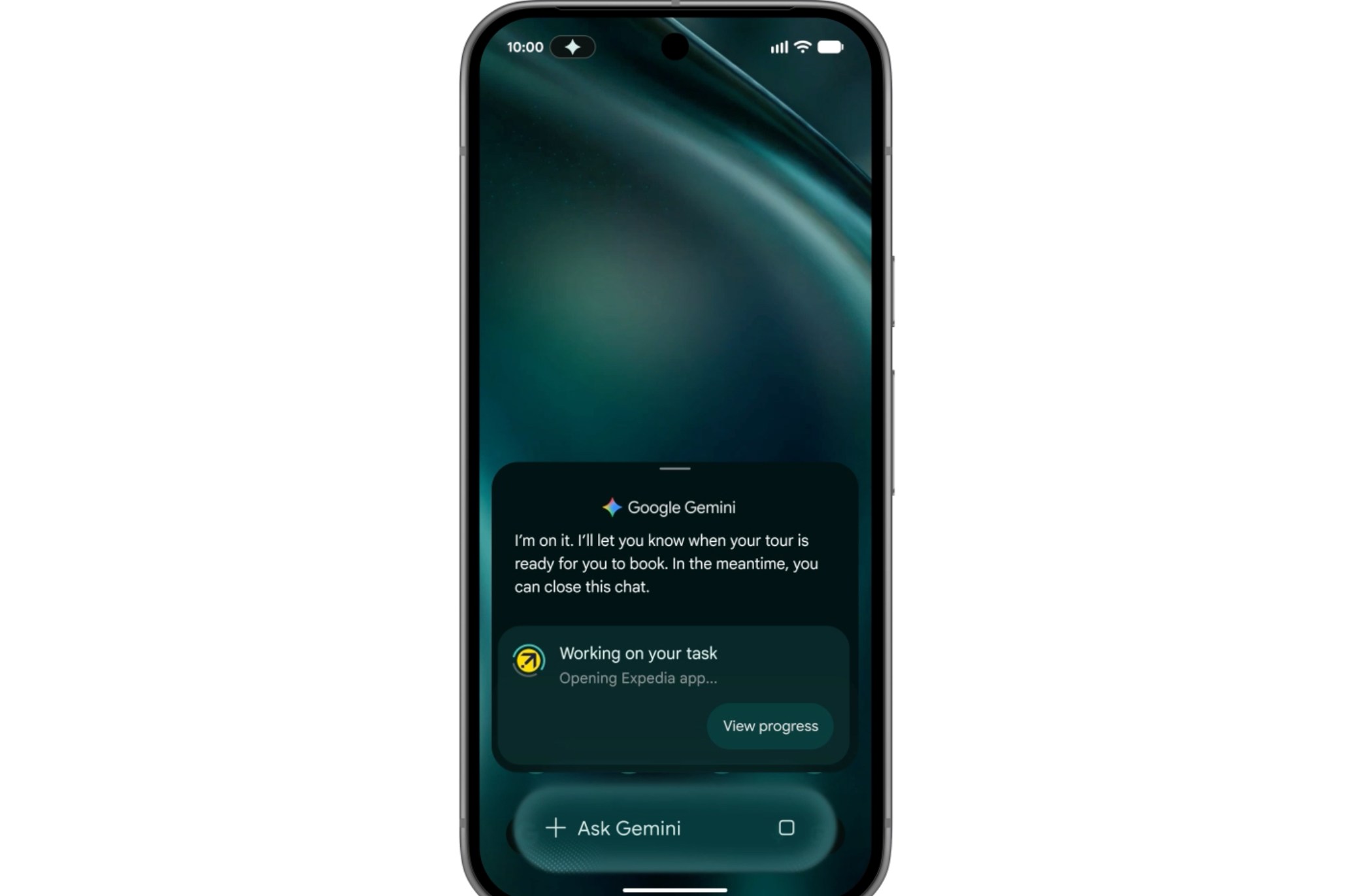
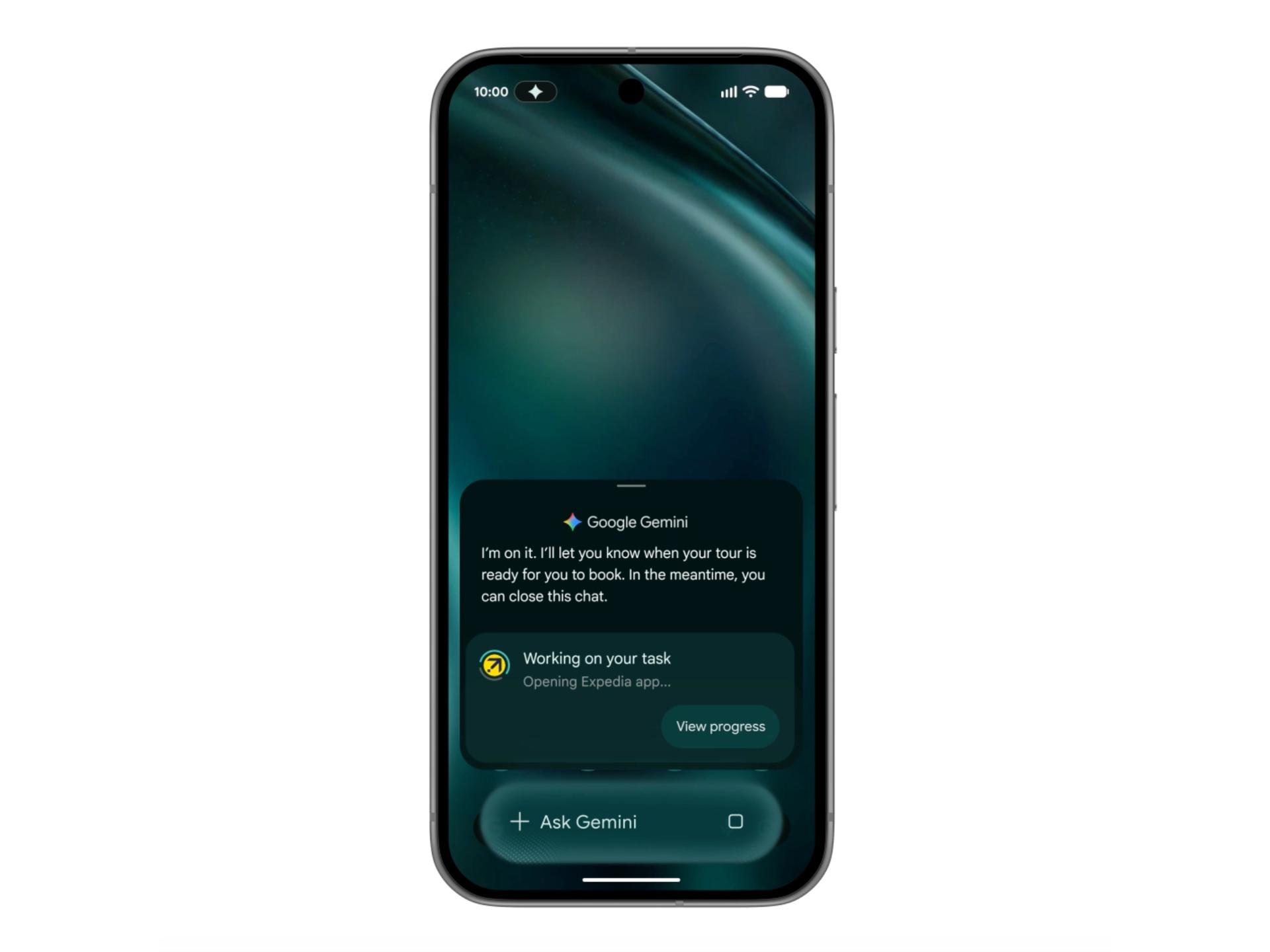
  • Phone Automation and Control: Gemini can now perform actions directly on your device, from managing apps to automating routine tasks without requiring manual intervention each time
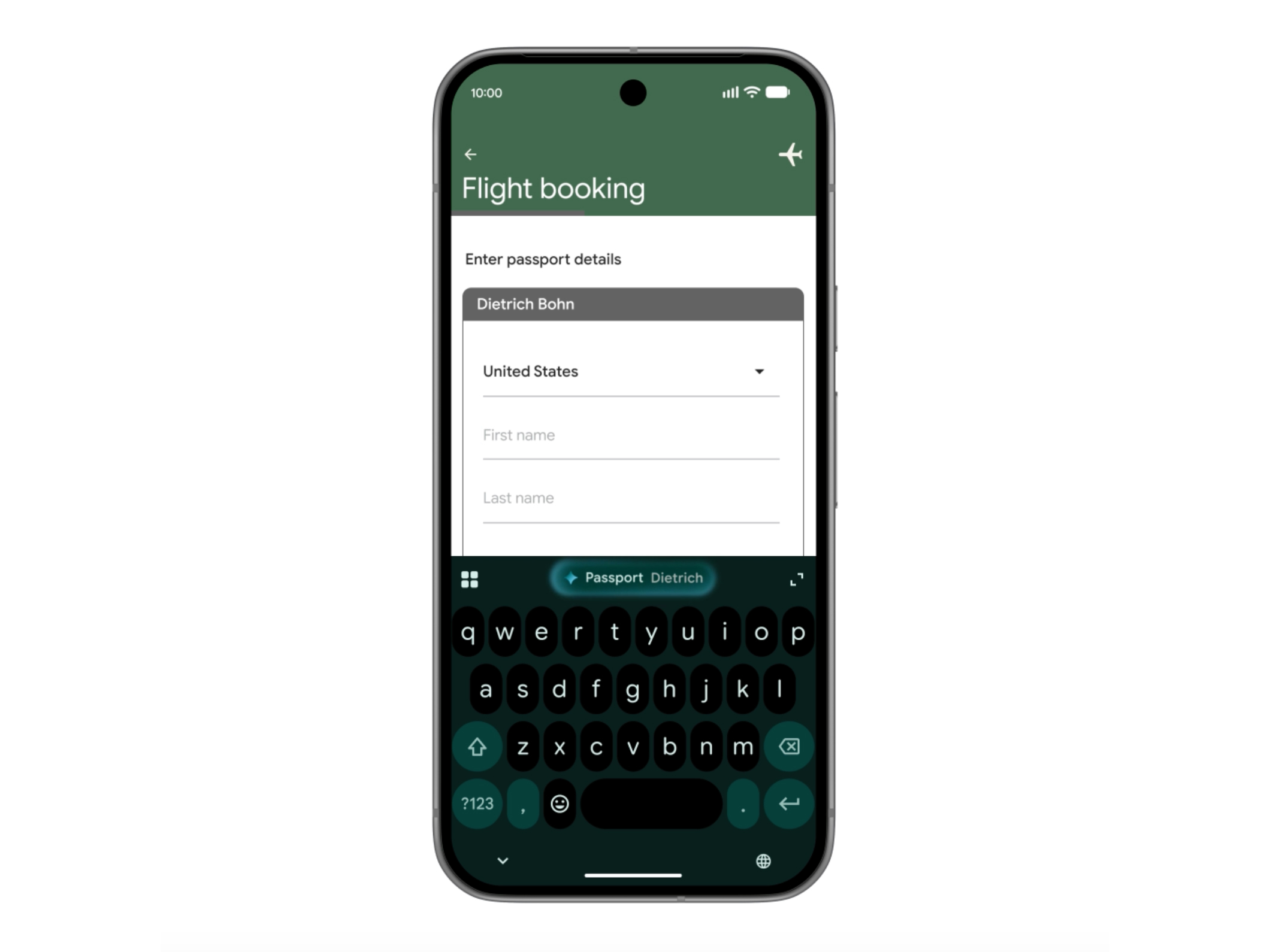
  • Enhanced Autofill Integration: AI-powered autofill suggestions appear contextually throughout Android, learning your preferences and filling information more intelligently across forms and apps
  • Chrome on Android Integration: Gemini extends into Chrome browser on Android, providing AI assistance while browsing, researching, and managing web-based tasks
  • Deep App Integration: Gemini Intelligence works within your installed apps, offering contextual assistance and automation tailored to each application's specific functions
  • Liquid Glass Visual Design: The interface features a modern Liquid Glass-inspired visual treatment that makes AI interactions feel more intuitive and visually cohesive with Android's design language
  • Device-Specific Optimization: Features are reserved for Google's most advanced Android devices, ensuring smooth performance and access to cutting-edge AI capabilities

Gemini Intelligence interface with Liquid Glass visual design

Technical Specifications

Gemini Intelligence leverages Google's latest AI infrastructure optimized for mobile performance and on-device processing capabilities.

  • Target Devices: Deployed on Google's most advanced Android devices with sufficient processing power for real-time AI inference
  • Integration Architecture: Seamlessly embedded across Android system layers including Chrome, autofill services, and third-party app frameworks
  • Processing Model: Combines cloud-based Gemini capabilities with on-device processing for faster response times and improved privacy
  • API Access: Developers can integrate Gemini Intelligence features into their apps through updated Android APIs and SDKs
  • Cross-Platform Sync: User preferences and learned behaviors sync across Chrome, autofill, and installed applications for consistent AI assistance

Official Benefits

  • Automates routine phone tasks, reducing manual interactions and saving time on repetitive actions
  • Learns user patterns and preferences, delivering increasingly personalized suggestions and automations over time
  • Provides contextual AI assistance directly within apps, eliminating the need to switch between applications
  • Improves form completion and data entry accuracy through intelligent autofill powered by AI understanding
  • Extends AI capabilities across the entire Android ecosystem rather than limiting assistance to a single app

Real-World Translation

What Each Feature Actually Means:

  • Phone Automation and Control: Instead of manually opening apps and performing repetitive tasks, Gemini can execute multi-step workflows. For example, when you say "prepare for my morning meeting," Gemini could open your calendar, pull relevant emails, and set your status to busy without you touching your phone
  • Enhanced Autofill Integration: When filling out a hotel booking form, Gemini doesn't just fill your name and address—it understands context and suggests your preferred room type, payment method, and loyalty program number based on your booking history
  • Chrome on Android Integration: While researching a product, Gemini can summarize reviews, compare prices across tabs, and even draft comparison emails without leaving your browser
  • Deep App Integration: In your banking app, Gemini understands your transaction history and can answer questions like "what did I spend on groceries last month?" or "show me unusual transactions" without requiring complex searches
  • Contextual Assistance: Gemini learns that you always book flights on Tuesdays and suggests travel options proactively, or recognizes when you're composing an email and offers smart reply suggestions based on the conversation context

Before vs After

Before

Users relied on traditional chatbots that required explicit prompts for every task, with no understanding of personal workflows or preferences. Autofill remained basic and context-unaware, often requiring manual correction. AI assistance was siloed within a single app rather than integrated across the entire phone experience.

After

Gemini Intelligence anticipates user needs, automates multi-step tasks, and learns preferences across all apps and services. Autofill becomes intelligent and contextual, understanding not just what information to fill but why. AI assistance becomes ambient and always available, working seamlessly within the apps users already use daily.

📈 Expected Impact: Users experience 30-40% reduction in manual phone interactions for routine tasks while enjoying more accurate, personalized assistance across their entire Android experience.

Job Relevance Analysis

Game Developer

MEDIUM Impact
  • Use Case: Game developers can leverage Gemini Intelligence to automate testing workflows, generate game design documentation, and streamline asset management across development tools
  • Key Benefit: AI-powered automation reduces time spent on repetitive development tasks, allowing more focus on creative design and gameplay mechanics
  • Workflow Integration: Gemini can integrate with Android Studio and development apps to suggest code optimizations, manage build processes, and handle routine project administration
  • Skill Development: Developers learn to work with AI-assisted workflows and understand how to design games that integrate with AI assistants for enhanced player experiences
  • Practical Application: A game developer could use Gemini to automatically organize test results, generate bug reports, and manage asset libraries without switching between multiple applications
Game Developer

Use AI to simplify your game development from 3D rendering to character building, story development, debugging, and even AR!

4,918 Tools
Game Developer

AI Researcher

HIGH Impact
  • Use Case: AI researchers can study how Gemini Intelligence learns user patterns, handles contextual understanding, and implements on-device processing—valuable insights for advancing AI research
  • Key Benefit: Direct access to a production AI system demonstrates real-world implementation of personalization, automation, and multi-modal integration at scale
  • Workflow Integration: Researchers can analyze Gemini's decision-making patterns, test edge cases, and contribute to understanding how AI assistants should handle privacy-preserving on-device processing
  • Skill Development: Exposure to production-grade AI systems helps researchers understand the gap between theoretical models and practical deployment, improving their own research direction
  • Practical Application: An AI researcher studying personalization algorithms could analyze how Gemini adapts to individual user behavior patterns and use these insights to improve their own models
AI Researcher

Advance innovation with AI tools for academic research, data analysis, knowledge representation, decision-making, and AI-powered chatbots.

6,692 Tools
AI Researcher

Logo Designer

LOW Impact
  • Use Case: Logo designers might use Gemini Intelligence to automate administrative tasks like file organization, client communication, and project management rather than design work itself
  • Key Benefit: Frees up time from routine tasks, allowing designers to focus on creative work and client collaboration
  • Workflow Integration: Gemini can manage email responses, organize design assets, and handle scheduling without interrupting the design workflow
  • Skill Development: Designers learn to work alongside AI assistants for productivity enhancement, though core design skills remain human-driven
  • Practical Application: A logo designer could use Gemini to automatically organize client feedback, schedule revision meetings, and manage file versions while maintaining focus on the creative process
Logo Designer

Create beautiful logos in minutes with AI tools for logo design, branding, graphic design, color, and backgrounds.

3,068 Tools
Logo Designer

Getting Started

How to Access

  • Visit Google's official Android announcement page or your device's Settings menu to check eligibility
  • Ensure your Android device is among Google's most advanced models with sufficient processing power
  • Update to the latest Android version and Gemini app from Google Play Store
  • Enable Gemini Intelligence in your device settings and grant necessary permissions for app integration and autofill access

Quick Start Guide

For Beginners:

  1. Open your device Settings and navigate to Apps > Gemini Intelligence
  2. Enable autofill integration and allow Gemini to learn from your app usage patterns
  3. Try using voice commands to automate simple tasks like "open my calendar" or "show my recent emails"
  4. Observe how autofill suggestions improve as Gemini learns your preferences over the first week of use

For Power Users:

  1. Configure advanced automation rules in Gemini Settings to create custom workflows for your most-used apps
  2. Import your existing app preferences and data so Gemini can immediately understand your established patterns
  3. Set up contextual triggers that activate specific automations based on time, location, or app usage
  4. Enable developer options to test Gemini Intelligence integration within your own Android apps
  5. Monitor privacy settings to control what data Gemini uses for personalization and adjust on-device vs. cloud processing balance

Pro Tips

  • Start with Autofill: Begin by enabling smart autofill to see immediate benefits before exploring automation features
  • Use Voice Commands: Leverage voice input for hands-free automation—Gemini learns your speech patterns and becomes more accurate over time
  • Review Privacy Settings Monthly: Regularly check what data Gemini is using for personalization and adjust permissions as your comfort level evolves
  • Combine with Chrome: Use Gemini Intelligence in Chrome on Android to get AI assistance while researching, comparing products, or managing web-based tasks

Gemini Intelligence settings and configuration interface

FAQ

Related Topics

Gemini Intelligence reviewAndroid AI assistantphone automation AIGemini vs alternatives

Table of contents

What's New in Gemini IntelligenceTechnical SpecificationsOfficial BenefitsReal-World TranslationBefore vs AfterJob Relevance AnalysisGetting StartedFAQ
Impact LevelMEDIUM
Update ReleasedMay 12, 2026

Best for

AI ResearcherGame DeveloperLogo Designer

Related Use Cases

AI Travel ToolsAI Developer ToolsAI Lifestyle Tools

Related Articles

Google Gboard Gemini Dictation: AI Voice Recognition
Google Create My Widget: AI-Powered Custom Widgets
Wispr Flow Review: Hinglish Voice AI for India
All AI Spotlights

Editor's Pick Articles

Perplexity Personal Computer: AI Agents for Mac
Claude Personal App Connectors Review
ChatGPT Images 2.0 Review: Better Text & Details
All Articles
Special offer for AI Owners – 50% OFF Promotional Plans

Join Our Community

Get the earliest access to hand-picked content weekly for free.

Spam-free guaranteed! Only insights.

Follow Us on Socials

Don't Miss AI Topics

ai art generatorai voice generatorai text generatorai avatar generatorai designai writing assistantai audio generatorai content generatorai dubbingai graphic designai banner generatorai in dropshipping

AI Spotlights

Unleashing Today's trailblazer, this week's game-changers, and this month's legends in AI. Dive in and discover tools that matter.

All AI Spotlights
Google Gboard Gemini Dictation: AI Voice Recognition

Google Gboard Gemini Dictation: AI Voice Recognition

Google Create My Widget: AI-Powered Custom Widgets

Google Create My Widget: AI-Powered Custom Widgets

Wispr Flow Review: Hinglish Voice AI for India

Wispr Flow Review: Hinglish Voice AI for India

OpenAI Codex Chrome Extension Review

OpenAI Codex Chrome Extension Review

Perplexity Personal Computer: AI Agents for Mac

Perplexity Personal Computer: AI Agents for Mac

OpenAI Voice Intelligence API: New Features Review

OpenAI Voice Intelligence API: New Features Review

ChatGPT Trusted Contact: New Self-Harm Safeguard

ChatGPT Trusted Contact: New Self-Harm Safeguard

CopilotKit Intelligence: Enterprise AI Memory Platform

CopilotKit Intelligence: Enterprise AI Memory Platform

OpenAI Training Spec: GPU Performance Breakthrough

OpenAI Training Spec: GPU Performance Breakthrough

AWS Managed Agents Review: OpenAI Partnership

AWS Managed Agents Review: OpenAI Partnership

Glean AI Search Review: Enterprise Search Redefined

Glean AI Search Review: Enterprise Search Redefined

ChatGPT Security Update: Advanced Protection Features

ChatGPT Security Update: Advanced Protection Features

Mistral's Cloud Code Platform Review

Mistral's Cloud Code Platform Review

Meta Autodata: AI Framework for Autonomous Data Scientists

Meta Autodata: AI Framework for Autonomous Data Scientists

Gemini API Webhooks: Real-Time AI Automation

Gemini API Webhooks: Real-Time AI Automation

Zyphra TSP: 2.6x Faster AI Training Review

Zyphra TSP: 2.6x Faster AI Training Review

SoundHound OASYS: Self-Learning AI Agent Platform

SoundHound OASYS: Self-Learning AI Agent Platform

Google Home Gemini 3.1: Smarter AI Assistant

Google Home Gemini 3.1: Smarter AI Assistant

Grok Voice Think Fast 1.0 Review: AI Voice

Grok Voice Think Fast 1.0 Review: AI Voice

You Might Like These Latest News

All AI News

Stay informed with the latest AI news, breakthroughs, trends, and updates shaping the future of artificial intelligence.

Anthropic Launches AI Legal Services Tools

May 13, 2026
Anthropic Launches AI Legal Services Tools

Dessn Raises $6M for AI-Powered Design Tools

May 13, 2026
Dessn Raises $6M for AI-Powered Design Tools

Meta AI on Threads Can't Be Blocked by Users

May 13, 2026
Meta AI on Threads Can't Be Blocked by Users

OpenAI Launches Daybreak AI Cybersecurity Initiative

May 13, 2026
OpenAI Launches Daybreak AI Cybersecurity Initiative

OpenAI Launches AI Consulting Company

May 12, 2026
OpenAI Launches AI Consulting Company

AI Voice Assistants Transform Office Work Culture

May 11, 2026
AI Voice Assistants Transform Office Work Culture

Anthropic: Fictional AI Portrayals Shaped Claude's Behavior

May 11, 2026
Anthropic: Fictional AI Portrayals Shaped Claude's Behavior

AI Data Centers Face Growing Crisis

May 10, 2026
AI Data Centers Face Growing Crisis

SpaceX Plans $55B AI Chip Plant in Texas

May 8, 2026
SpaceX Plans $55B AI Chip Plant in Texas
Tools of The Day

Tools of The Day

Discover the top AI tools handpicked daily by our editors to help you stay ahead with the latest and most innovative solutions.


10MAR
Adobe Illustrator
Adobe Illustrator
9MAR
Adobe Firefly
Adobe Firefly
8MAR
Adobe Sensei
Adobe Sensei
7MAR
Adobe Photoshop
Adobe Photoshop
6MAR
Adobe Firefly
Adobe Firefly
5MAR
Shap-E
Shap-E
4MAR
Point-E
Point-E

Explore AI Tools of The Day