
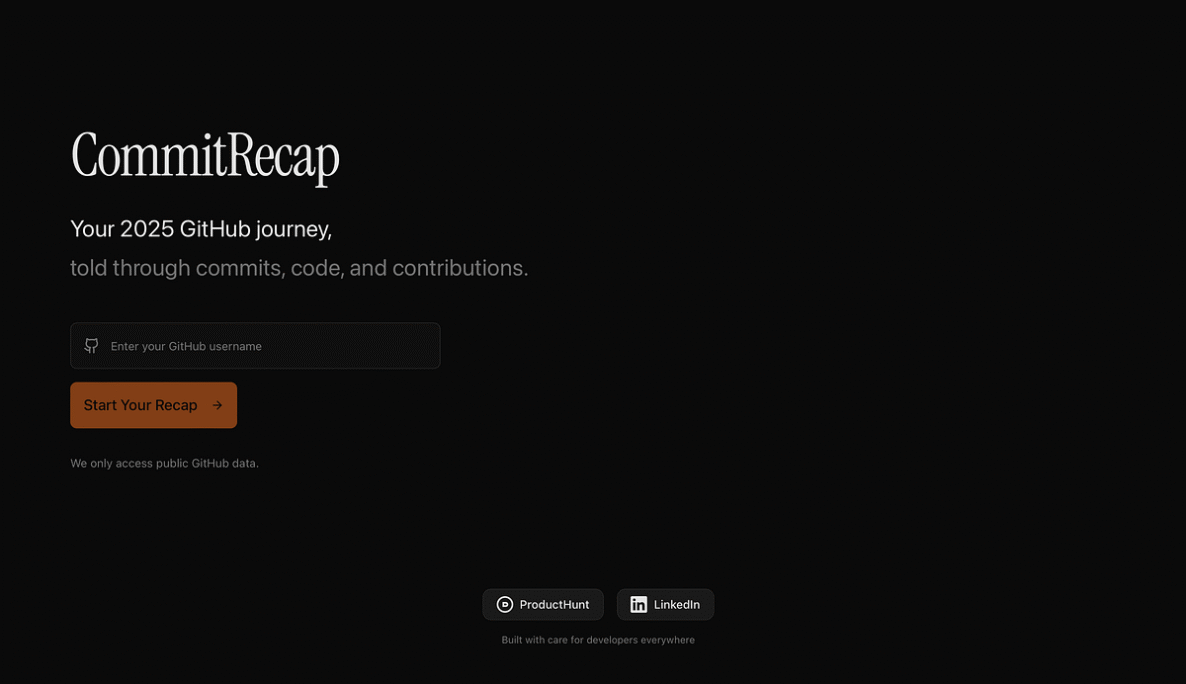
I Built CommitRecap so Your GitHub Year Reads Like a Story
Introduction
CommitRecap is an innovative tool that transforms your GitHub commit history into a visually engaging narrative, making it easier to understand and share your coding journey. Designed for developers, project managers, and anyone interested in tracking their GitHub activity, CommitRecap offers a unique way to showcase your contributions and achievements over time.
Key Features and Capabilities
CommitRecap’s standout features include its ability to generate personalized year-in-review reports, complete with interactive visualizations and insightful statistics. Users can easily track their commit frequency, the languages they’ve used, the projects they’ve contributed to, and even the emotions behind their code changes. The tool’s sleek dashboard provides a comprehensive overview of your GitHub activity, making it a valuable resource for personal reflection, team reporting, and professional portfolio building.
How It Works / Technology Behind It
At the core of CommitRecap is a powerful data analysis engine that processes your GitHub commit history and transforms it into a visually engaging narrative. The tool leverages advanced natural language processing and sentiment analysis algorithms to identify the context and sentiment behind your code changes, allowing it to generate personalized summaries and insights. CommitRecap’s intuitive interface makes it easy to navigate through your coding journey, with the ability to filter and sort data based on various criteria.
Use Cases and Practical Applications
CommitRecap is a versatile tool that caters to a wide range of use cases. Developers can use it to track their personal growth, identify areas for improvement, and showcase their contributions to potential employers or collaborators. Project managers can leverage CommitRecap to monitor team progress, identify productivity trends, and generate comprehensive reports for stakeholders. Educators can utilize the tool to help students visualize and reflect on their coding activities, fostering a deeper understanding of the software development process.
Pricing and Plans
CommitRecap offers a free plan that provides basic reporting and visualization capabilities. For users who require more advanced features, such as custom branding, team management, and extended data analysis, the tool offers a range of paid subscription plans. Pricing starts at $9 per month for the individual plan and scales up based on the number of users and the level of functionality required.
Pros and Cons / Who Should Use It
**Pros:**
– Transforms GitHub activity into a visually engaging narrative
– Provides detailed insights and statistics on coding contributions
– Supports personal growth, team management, and professional portfolio building
– Offers a range of customization options and paid plans for advanced features
**Cons:**
– Limited to GitHub data, not integrated with other version control systems
– Free plan has fewer features compared to paid subscriptions
– May not be suitable for users with a large volume of GitHub activity due to potential performance limitations
CommitRecap is an excellent choice for developers, project managers, and anyone interested in tracking and showcasing their GitHub contributions. It’s particularly useful for individuals looking to reflect on their coding journey, teams seeking to monitor progress and productivity, and professionals aiming to build a compelling portfolio of their software development work.
Takeaways
– CommitRecap transforms your GitHub commit history into a visually engaging narrative, making it easier to understand and share your coding journey
– Key features include personalized year-in-review reports, interactive visualizations, and sentiment analysis of code changes
– Useful for personal growth, team management, and professional portfolio building
– Offers a range of customization options and paid plans for advanced features
– Limited to GitHub data and may have performance limitations for users with large commit histories
FAQ
What is the pricing structure for CommitRecap?
CommitRecap offers a free plan with basic reporting and visualization capabilities. For more advanced features, such as custom branding, team management, and extended data analysis, the tool offers paid subscription plans starting at $9 per month for the individual plan, with pricing scaling up based on the number of users and the level of functionality required.
How easy is CommitRecap to use?
CommitRecap has a user-friendly interface that makes it easy to navigate and understand your GitHub activity. The tool provides clear visualizations and intuitive data filtering options, allowing users to quickly generate personalized reports and insights.
What integrations does CommitRecap offer?
CommitRecap is currently focused solely on integrating with GitHub, as it is designed to process and analyze GitHub commit data. The tool does not currently offer integrations with other version control systems or project management platforms.
What kind of support is available for CommitRecap users?
CommitRecap provides comprehensive documentation and a knowledge base to help users get started and troubleshoot any issues. For paid subscribers, the tool also offers email-based support to address more complex questions or concerns.
How does CommitRecap compare to similar tools on the market?
While there are other tools that provide GitHub activity tracking and visualization, CommitRecap stands out with its focus on generating personalized, narrative-style reports. It offers more advanced features, such as sentiment analysis and custom branding, compared to some of the simpler GitHub visualization tools available.

















 https://ageofai.tools/u/
How would you rate Revolutionize Your GitHub Story with AI-Powered CommitRecap?